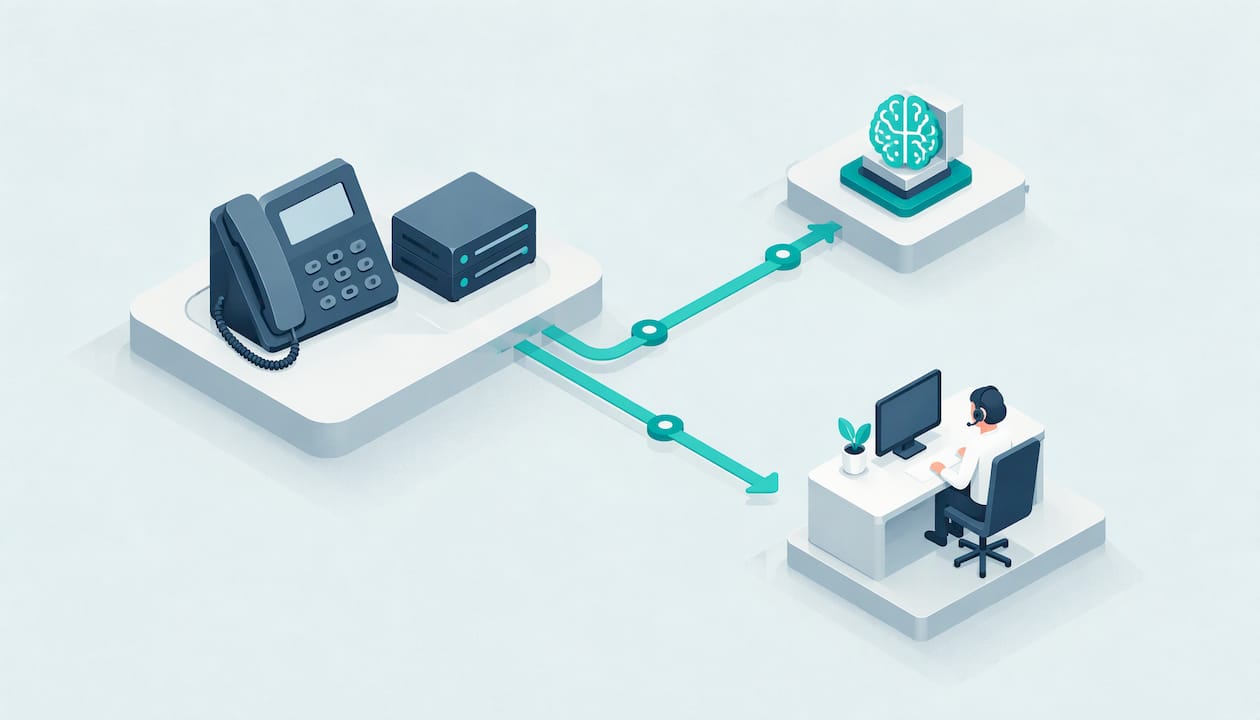
You can connect an AI voice agent to the phone system you already have. You don’t need to replace your handsets, your carrier or your number. In most cases you change how calls are routed so the AI answers first, takes the repetitive calls, and passes anything that needs a person straight to your team. The work is mostly decisions: which calls the AI should take, what it can book or look up, and when a human steps in.
This guide walks through what an AI phone system is, what to prepare, the usual ways to connect it, how to set up handoff and bookings, how to test before going live, and the Australian rules to keep in mind. It’s written for owners and managers of small and medium businesses, from a plumber missing calls on the tools to a clinic front desk buried in booking requests.
Table of Contents
- What an AI phone system actually is
- Before you connect anything: five things to sort out
- The common ways to connect AI to an existing phone system
- Configure call handling, bookings and handoff
- Test before you go live
- Australian rules to keep in mind
- Where AI phone agents help most
- Our view: automate the routine, protect the human moment
- See it on your own phone line
- FAQ
- Sources
What an AI phone system actually is
An AI phone system isn’t a new phone. It’s a voice agent that sits alongside the phone service you already use. It answers or places calls, holds a natural conversation, and takes actions such as booking an appointment, logging a lead or answering a common question. When a call needs judgement or empathy, it transfers the caller to a person.
There are three parts to think about:
- Your phone service. This might be a cloud (VoIP) system, a hosted PBX, a business mobile plan or a landline with call diversion.
- The voice agent. The AI that listens, speaks and decides what to do. At 42Voice, these are role-based: a receptionist, a sales development rep, a Tier-1 help desk and a collections agent.
- Your business tools. Calendar, CRM and ticketing software, so the agent books into real diaries and records what happened.
A good way to picture it: the AI is the first person to pick up the phone, and your team is the second.
Before you connect anything: five things to sort out
Most setup delays come from decisions nobody made, not from technology. Spend an hour on these first.
1. List the calls you want the AI to take
Pull a week of call logs, or just ask whoever answers the phone. Group the calls. Typical high-volume, repetitive types include:
- “Are you open Saturday?” and other opening hours or location questions
- New booking, reschedule and cancellation requests
- Quote or job enquiries from new customers
- “Where’s my order?” or “Can I get a copy of my invoice?”
- Payment reminders and simple account enquiries
Start with the top two or three. You can widen later.
2. Decide what stays human
Write down the calls a person should always take: upset customers, complaints, clinical questions, large or complicated quotes, negotiation, hardship conversations about overdue accounts, and anything where the caller asks for a person. This list becomes your handoff rules.
3. Know your phone setup
Find out who your provider is, what type of service you have, and whether you can change call forwarding or routing yourself or need to ask the provider. This one answer decides which connection method you’ll use.
4. Gather the information the agent needs
Services, prices you’re happy to share, opening hours, service areas, booking rules (how long an appointment runs, who does what), and answers to your top 20 questions. If you can’t write the answer down, the agent can’t give it.
5. Pick the tools it should connect to
Note which calendar, CRM or ticketing system you use. A booking that never reaches your diary is worse than a missed call, so integration matters as much as the voice.
The common ways to connect AI to an existing phone system
There are a few routes. Which one fits depends on your phone service, and we confirm it with you before anything goes live.
| Method | How it works | Best for |
|---|---|---|
| Call forwarding or diversion | Your main number forwards all calls, or only unanswered or after-hours calls, to a number the AI answers | Sole traders, small trades, clinics on mobile or basic landline plans |
| Routing rule in a cloud phone system | You add the AI as a destination in your call flow, for example after a set number of rings or outside business hours | Businesses on hosted or cloud phone systems |
| SIP trunk or similar link to a PBX | Your PBX sends calls to the AI over an internet voice connection and receives them back when a person is needed | Businesses with an on-premises or hosted PBX and several extensions |
| New dedicated number | The AI answers a separate number used on ads, your website or a Google profile | Testing, or a campaign line, before touching your main number |
Forwarding: the quickest start
If you’re a small business, forwarding is often the fastest route. Set your number to forward when busy, when unanswered or after hours, and calls roll to the AI. Your customers still dial the number they know. This is the setup that suits tradies who can’t pick up while under a sink, or a practice that wants overflow covered at lunch.
Routing inside a business phone system
Many cloud phone systems let you build a call flow with time-of-day rules, ring groups and fallbacks. Add the AI as the first answer or as the overflow step. Keep a fallback to a human queue or voicemail so a caller is never left in silence if something goes wrong.
PBX connections
Larger setups usually link through an internet voice connection (a SIP trunk is the common term) so the PBX can hand calls to the agent and take them back. This is a job for whoever manages your phone system, and it’s worth having them involved from the start.
Our positioning is simple: live in 3 to 5 days, not months, with no lock-in contracts. We’ll go through your phone setup in the demo and tell you which route applies.
For a deeper walk-through of the setup stages, see our AI phone agent onboarding guide, and for how we think about phone automation more broadly, read about how to automate phone calls as an Australian SME.

Configure call handling, bookings and handoff
Once the line is connected, the agent’s behaviour is what your callers will notice.
Write the greeting like a person would
Keep it short and honest: your business name, who they’ve reached and how the agent can help. Tell callers it’s an automated assistant. Australian callers tend to respond better to plain, relaxed language than to a stiff script.
Connect the calendar
Give the agent access to the diary it should book into, and set the rules: appointment lengths, buffer times, which staff member takes which service, and how far ahead people can book. Test with real edge cases, like a caller who wants “sometime after school pick-up” or a clinic booking that needs a longer slot for a new patient.
Connect the CRM or ticketing tool
Every call should leave a record: who called, what they wanted, what was done, and a transcript. That means your team picks up a warm lead or a ticket with the context already written, rather than starting from scratch.
Design the human handoff
This is the part that decides whether customers like the experience. Set clear triggers for transferring to a person:
- The caller asks for a human, at any point
- The caller sounds upset or distressed
- The question is outside what the agent has been given
- The topic is sensitive, such as a complaint, a clinical concern or a hardship request
- The agent has failed to understand twice
Also decide where the call goes: a direct line, a ring group, or a callback booking if nobody is free. When the agent hands over, it should pass a short summary so the caller doesn’t have to repeat themselves. We cover this in more depth in our guide to AI-to-human handoff best practices and in intelligent call routing for SMBs.
Keep a person in the loop
Every 42Voice agent is backed by human-in-the-loop quality control. You can add your own habit on top: once a week, read a handful of transcripts, note anything the agent handled badly, and feed that back into its instructions. Ten minutes a week beats a big review once a year.
Test before you go live
A careful test plan takes a day or two and saves weeks of apologising to customers.
- Call it yourself. Ring the number from a mobile and a landline. Check how it sounds and how fast it answers.
- Run your top ten scenarios. Book, reschedule, cancel, ask the price, ask something odd, ask for a person.
- Test the handoff. Make sure the transfer actually rings the right phone, and that the summary arrives.
- Check the data. Confirm the booking is in the calendar with the right time zone, and the CRM entry has the right details.
- Test after-hours. Switch your routing to the after-hours rule and call at night. Confirm the message, the booking path and the urgent-call path.
- Ask staff to call in. Colleagues who know the business will ask the questions customers actually ask.
- Go live on overflow first. Start with unanswered or after-hours calls only, then widen as you gain confidence.
Setup mistakes worth avoiding
- No fallback. Always have a route to a human or voicemail if something fails.
- Too many call types at once. Launch with two or three, then add.
- Vague handoff rules. “Transfer if complicated” isn’t a rule. Write specific triggers.
- Forgetting to tell staff. The team should know what the agent says, what it can book and what it passes on.
- Ignoring the transcripts. The first fortnight of real calls shows you exactly what to improve.
Australian rules to keep in mind
This isn’t legal advice. It’s a prompt to check the right things with your adviser or the regulator.
Recording and disclosure
If calls are recorded or transcribed, tell callers at the start. The Office of the Australian Information Commissioner notes that recording a phone consultation without informing the patient is illegal under various Australian laws, including the Telecommunications (Interception) Act 1979 and state listening devices laws. That passage is aimed at health providers, but the principle of telling people up front applies to any business. Put a short notice in the greeting, such as “This call may be recorded and is answered by an automated assistant.” If you also deal with New Zealand customers, our call recording laws guide covers what differs.
If you handle personal or health information, the Privacy Act and the Australian Privacy Principles also apply to what the agent collects and stores. Check your privacy policy reflects it.
Outbound calls: sales and collections
Inbound answering is the simpler case. Outbound calling carries more rules. The ACMA says businesses should wash calling lists against the Do Not Call Register and check consent, and that telemarketing callers must say who they are and why they’re calling as soon as the call starts, and end the call immediately if asked. An AI caller should follow the same standard, and say it’s an AI.
A few practical steps:
- Wash your list before every campaign, not once a year.
- Have the agent identify your business and the reason for the call in the first sentence.
- Make the opt-out easy and honour it straight away.
- Keep collections calls to your own customers’ accounts, polite in tone, with a person ready for hardship conversations.
- Track which calls came from which campaign. Call tracking for phone leads shows how to tie those calls back to the ads that produced them.
For sales cadences with the compliance side included, see our sales call cadence guide.
Where AI phone agents help most
After-hours and missed calls
This is the easiest win. A call that goes to voicemail at 6:30 pm is often a call that goes to a competitor. An agent answering 24/7 can book the job or appointment, capture details and flag anything urgent for the morning. For more on this, see how to increase call answer rates with human handoff.
Bookings
A dental or physio clinic, a restaurant in Fitzroy, a salon in Parramatta: all spend hours on near-identical booking calls. The agent handles those and your front-of-house staff handle the patients and guests standing in front of them. Restaurants can see a worked example in our guide to restaurant phone answering.
Lead follow-up
Speed matters when a web form comes in. An outbound agent can ring a new enquiry, ask your qualifying questions and book a time with your salesperson. The person then does what people do best: understand the customer and close the sale.
Payment enquiries and reminders
For overdue invoices, a polite first-party reminder and a simple “can I send you a payment link?” covers many cases. Anything involving hardship, dispute or distress goes to a person. Our collections agent is built around first-party payment reminders.
Multilingual service
If your customers speak more than English, an agent that works in 9+ languages lets you serve them at any hour without rostering multilingual staff around the clock. Pick the languages your callers actually use, and test each one with a native speaker.
Our view: automate the routine, protect the human moment
Most owners we talk to don’t have a technology problem. They have a pickup problem. Someone is on a roof, with a patient, or in the kitchen, and the phone keeps ringing.
We build AI voice agents to take the repetitive, high-volume calls: bookings, opening hours, account questions, first reminders. We don’t build them to stand in for your people. Every moment that needs empathy, judgement or a close should reach a person, quickly and with context.
That’s why handoff is the first thing we design, not the last. It’s also why every agent has human-in-the-loop quality control, and why we plug into the calendars, CRMs and ticketing tools you already use rather than asking you to change them.
Be honest about limits. An AI agent won’t read a room the way your best team member does, and it shouldn’t try. Give it a clear job, clear boundaries and a fast route to a human, and it makes your team’s day easier.
Alston
See it on your own phone line
If you’d like to know how this would work on your phone setup, we’ll map it out with you. 42Voice agents go live in 3 to 5 days, with no lock-in contracts, and pricing is tailored to your business across our Starter, Growth and Scale plans. See the AI Receptionist for inbound calls, or look at how our plans work.

The agent speaks your business’s language, books into your calendar and hands the tricky calls to your team. Book a free 15-minute demo and bring your current phone provider’s name with you.
FAQ
Do I need to replace my phone system to use an AI voice agent?
No. In most cases you keep your current number and provider and change the call routing, either by forwarding or by adding the agent to your call flow. We confirm the right route for your setup before go-live.
Can the AI transfer calls to my staff?
Yes. You set the triggers, such as a request for a person, an upset caller or an out-of-scope question, and the destination, such as a direct line or ring group. The agent passes a short summary so the caller doesn’t repeat themselves.
How long does it take to connect?
Our agents typically go live in 3 to 5 days. The timing depends on how quickly you can supply your call types, booking rules and tool access, and on what your phone provider needs to change.
Do I have to tell callers it’s an AI?
Yes, as a matter of good practice, and the same goes for recording. Say it in the greeting. For outbound calls, the ACMA expects callers to identify themselves and the reason for the call at the start. Check your specific obligations with your adviser.
Sources
Recommended
- Best AI Phone System for SMBs in 2026
- AI Phone Agent Onboarding: A Practical Setup Guide for Australian SMEs
- Increase Call Answer Rates: AI With Human Handoff for Small Businesses
- Caller Verification With AI: How to Check Who’s Calling
This article is general information about AI voice technology and isn’t legal or compliance advice. Requirements for call recording, AI disclosure and outbound calling vary by state and use case.