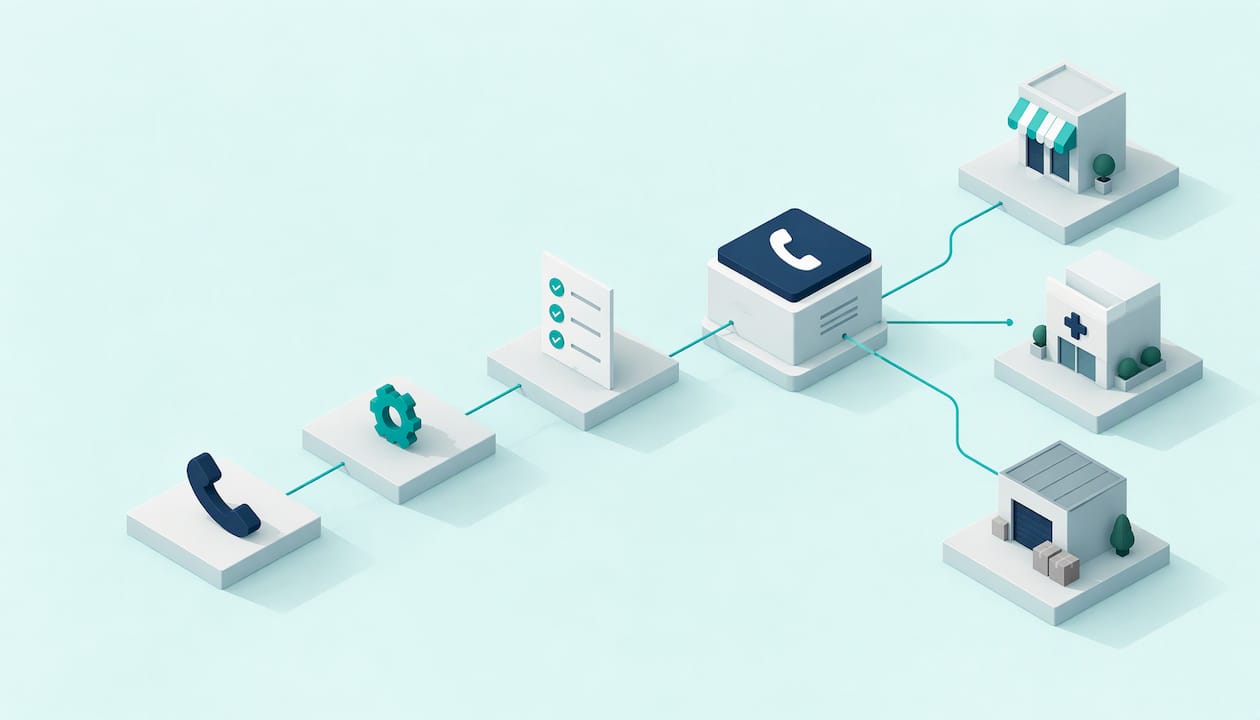
Onboarding an AI phone agent comes down to six jobs: choose a small set of repetitive calls, write down what the agent may say and when it must hand over, connect it to your number and systems, test it with real scenarios, launch with a human backup, then review the transcripts every week. Done in that order, a small business can be live in days rather than months. At 42Voice, our target is 3–5 days.
This guide is for owners and office managers at trades businesses, clinics, hospitality venues and professional practices who are missing calls and want to know what the work involves. It is not a coding tutorial. You do not need to wire up telephony yourself. You need to make some decisions about your calls, and this article lists them.
Table of Contents
- What onboarding an AI phone agent actually involves
- Step 1: Start with the calls that repeat
- Step 2: Prepare your business information, scripts and escalation rules
- Step 3: Connect the phone number and your systems
- Step 4: Set how the agent handles real calls
- Step 5: Test before you launch
- Step 6: Review after launch
- What about outbound calls?
- A realistic first-week plan
- Our perspective
- Get your first agent live
- FAQ
- Sources
What onboarding an AI phone agent actually involves
Think of it as hiring a new receptionist, except the induction is written down. A new human hire needs to know what your business does, which questions come up all day, what they can promise, and when to get the boss. An AI voice agent needs exactly the same, in a more explicit form.
The work splits into six stages:
- Scope: pick the call types the agent will take first.
- Content: gather business facts, scripts and escalation rules.
- Connections: attach the phone number, calendar, CRM or ticketing tool.
- Behaviour: set how it handles bookings, after-hours calls, languages and requests for a person.
- Testing: run scenarios, including the ones that go wrong.
- Review: read transcripts and adjust after launch.
Our stance is simple. The agent takes the repetitive, high-volume calls. Every call that needs judgement, empathy or a close goes to a person. That is how we design onboarding, and it is why the escalation rules in stage 2 matter more than any other part of setup.
Step 1: Start with the calls that repeat
Do not try to automate your whole phone line on day one. Pull up a week of call history, or simply listen to your voicemail and missed-call list, and sort the calls into three piles.
- Repeat and predictable: “Are you open Saturday?”, “Can I book a time?”, “Where are you located?”, “Do you service my suburb?”. These are the agent’s starting calls.
- Repeat but sensitive: complaints, clinical questions, quotes that need a site visit, upset customers. A person takes these. The agent’s job is to capture the details and pass the call across.
- Rare and complex: leave these with your team entirely.
For most Australian SMEs, the best first targets are:
- Missed calls while you are on the job. A plumber under a sink or an electrician on a roof cannot answer. The agent picks up, captures the job details and books a time or logs a callback.
- After-hours calls. Nobody wants to staff the phone at 8 pm, but customers still ring. See how after-hours appointment booking works for small businesses.
- Appointment bookings for clinics, salons and allied health practices.
- Level 1 support questions with a known answer, such as order status or opening hours.
If you want the bigger picture of how a hybrid setup fits together, our guide to 24/7 call answering with human backup covers it.
Step 2: Prepare your business information, scripts and escalation rules
This is where most of the onboarding effort goes, and it is where good results are decided. Prepare these five things before you configure anything.
The facts the agent may use
Write a plain document with:
- Trading hours, including public holiday hours
- Service areas (suburbs or postcodes) and what you do not do
- Services and how they are explained to a first-time caller
- Booking rules: appointment lengths, buffer times, who can book what, cancellation terms
- Address, parking, access and directions
- Whether you publish prices, and what the agent should say when you do not
Keep it short and current. More text is not better. Give the agent the information a good receptionist would use, not your entire website and every old price list. If two documents disagree, the agent has no way of knowing which one you meant, so resolve conflicts before you hand them over.
Call scripts, written as conversations
Write the opening line, the main questions the agent asks and the closing line. Keep each sentence short enough to say aloud. Example for a dental clinic:
Agent: Thanks for calling Bayside Dental, you’re speaking with the clinic’s virtual assistant. How can I help?
Caller: I need to book a check-up.
Agent: Happy to help. Have you been to us before?
This dialogue format is also how you should review it. If a line sounds odd read aloud, it will sound odd on the phone. Our guide to SME call flow design shows how to structure these flows so they cut unnecessary transfers.
Escalation rules
Write these as “if X, then Y” statements, with a named person or team for each. Common triggers:
- The caller asks for a person, at any point
- The caller is distressed, angry or mentions an emergency
- Anything clinical, legal or financial that needs professional judgement
- The agent has failed to understand the caller twice
- A system the agent relies on is unavailable
The last one is easy to miss. If the booking system or CRM is down, the agent needs a controlled response rather than a guess. A sensible fallback is to take a callback request, tell the caller a team member will follow up, and log a short note. Decide that wording in advance.
Also decide what happens outside hours. Is a human handoff possible at 9 pm, or does the agent take a message and flag it for the morning? Both are fine. Unclear is not.
Sensitive information
Decide what the agent should never discuss or collect. For example, it should not read out account details until the caller has been verified, and card numbers are best kept out of the conversation altogether. If your agent will touch health or financial details, the Office of the Australian Information Commissioner (OAIC) says privacy obligations apply to personal information put into an AI system, and to the output it generates. That guidance also encourages building human oversight into the process, which is what a handoff path does.
Your Australian compliance checklist
We are not lawyers and this is not legal advice. Put these questions to your own adviser before launch:
- Privacy Act: Does your privacy policy tell people you use AI on calls and what happens to their information? The OAIC guidance above recommends clear, transparent information about AI use in privacy policies and notices.
- Call recording: Recording rules differ between states and territories, so confirm what notice you need to give. The safe habit is to tell callers at the start if a call is recorded or transcribed.
- AI disclosure: Tell callers they are speaking to an automated assistant. It builds trust and avoids confusion.
- Outbound calls: If the agent will make calls, the Do Not Call Register Act 2006 and the Telemarketing Industry Standard 2017 apply to telemarketing. The ACMA’s investigation reporting notes the standard restricts calling times and requires the caller and organisation to be identified at the start, with specific provisions for recorded or synthetic-voice calls. The ACMA also explains that calls about collecting a debt or an appointment reminder are not telemarketing, but they still need to follow other rules that protect consumers.
Inbound answering carries fewer of these obligations than outbound sales or collections. That is one reason we suggest starting with inbound.
Step 3: Connect the phone number and your systems
There are three connections to make.
1. The phone number. You have two common options. Divert your existing business number to the agent, either always, after hours, or when your line is busy or unanswered. Or use a new number for a specific purpose, such as an after-hours line or a campaign. Most small businesses prefer diverting, because customers keep calling the number they already know. Call-forwarding is usually set through your phone provider or your phone system, and it is reversible in minutes.
2. The calendar. For booking, the agent needs read and write access to the calendar your team already uses. Before connecting, tidy it: set real working hours, block lunch and leave, and create separate appointment types with correct durations. An agent can only offer slots the calendar shows as free, so a messy calendar produces messy bookings.
3. The CRM or ticketing tool. The agent should log each call: who rang, what they wanted, what was agreed and what the next step is. Decide which fields it writes to, and where a handoff note lands so your team sees it before calling back. If you use Salesforce, our guide to migrating call logging to VoiceCall covers the steps.

Keep access narrow. Give the agent the permissions it needs for its job and nothing more. A receptionist agent does not need to see invoices.
For a deeper walk through of the timeline, see how businesses go live within days rather than running a long project.
Step 4: Set how the agent handles real calls
With the content and connections in place, configure behaviour for each scenario.
Bookings
Define the information needed to book: name, mobile number, service type, preferred time and any specifics (for a clinic, new or existing patient; for a tradie, address and a short description of the fault). Then define the confirmation: read the details back, and send an SMS or email confirmation. Read-back catches mishearings of names and street addresses, which are the most common errors.
If you run clinics or a service business and want the booking flow in more depth, our AI Receptionist page shows what it covers.
General enquiries
Limit the agent to answers you have approved. When a question falls outside your information, the right behaviour is “I’ll pass that to the team” plus a captured callback, never an improvised answer. Prefer a short “I don’t have that, but I can have someone call you” over a confident guess.
After-hours calls
Separate genuine urgency from routine requests. A burst pipe or a medical emergency needs a different path from “what are your Saturday hours?”. Write the urgent triggers (for example, flooding, no power, gas smell) and decide who gets alerted and how. For anything life-threatening, the agent should direct the caller to Triple Zero (000), not try to handle it. Make sure your wording for that is in the script.
Multilingual callers
If your community includes Mandarin, Vietnamese, Arabic, Italian or other language speakers, set which languages the agent should offer and how it offers them. Our platform supports 9+ languages. Test each language with a native speaker from your team or customer base, particularly for names, addresses and local place names. Define a fallback for when the agent cannot follow a caller: offer a callback in their language if you have a staff member who speaks it.
Requests for a person
The simplest rule works best: if someone asks for a human, they get one, or a clear promise of a callback with a time. Never make callers argue with the agent. Warm handoffs work better still: the agent summarises the issue for the staff member so the caller does not repeat themselves. Our AI call centre guide explains how a pilot with human backup is set up.
Voice
You can choose a voice that suits your brand. If you are considering voice cloning, get explicit consent from the person whose voice is being used and keep the disclosure that callers are talking to an automated assistant. Our piece on voice cloning for Australian SMEs goes through it.
Step 5: Test before you launch
Test it the way your customers will, not the way you wish they would speak. Run through this list with two or three team members, and ideally a friendly customer.
| Scenario | What good looks like |
|---|---|
| Straightforward booking | Correct slot, details read back, confirmation sent |
| Caller changes their mind mid-call | Agent updates the booking without starting again |
| Background noise or a poor mobile line | Agent asks to repeat, then offers a callback |
| Strong accent or fast speech | Agent confirms spellings and numbers |
| Question outside the knowledge base | Agent says it will pass it on, no invented answer |
| Caller asks for a person | Handoff or callback offered immediately |
| Distressed or angry caller | Calm tone, fast route to a human |
| Calendar or CRM unavailable | Controlled fallback: callback captured, team notified |
| After-hours urgent issue | Correct alert goes to the right person |
| Another language | Understands and responds, or offers a callback |
Record what fails and fix it in the script or the information document. Then repeat the same scenarios. Most problems are not the technology. They are a missing fact, a vague instruction or an unclear escalation rule.
Then launch narrowly. Start with after-hours calls or overflow when your team is busy, not every call at once. A staged start lets you watch real conversations with low risk. In our setup, every agent is backed by human-in-the-loop quality control, and complex calls hand off to your team.
Step 6: Review after launch
The first two weeks are for listening. Set aside 30 minutes each week to read transcripts and check the numbers. Look at:
- Calls answered and calls handed over. A high handoff rate early on is normal. A rate that stays high on the same topic means a missing script or fact.
- Bookings made versus abandoned. Find where callers hang up.
- Repeated questions the agent could not answer. Add the answer, or decide a human should keep answering it.
- Callback outcomes. Were callbacks made promptly, and did they convert?
- Caller feedback and complaints. Read these literally.
Real-time voice analytics make this faster, because you can search calls by topic rather than listening to each one. Our voice analytics page explains what we report.
Set a review rhythm: weekly for the first month, then monthly. Update the information document whenever prices, hours, staff or services change. An agent that gives last season’s hours is a worse experience than no agent.
What results can look like
We will not promise numbers for your business, because they depend on your calls. For a sense of scale, Australian health insurer nib launched a 24/7 voicebot in 2021 and reported a 9% reduction in call volumes in the first month, as the voicebot resolved enquiries or pointed members to self-service. nib is a large organisation with a very different call profile from a plumbing business. Treat it as an example of what reviewing and tuning a voice channel can achieve, not as a forecast.
What about outbound calls?
Once inbound is working, some businesses add outbound: follow-up on new leads, appointment reminders or first-party payment reminders. These need more care. Before any outbound campaign:
- Check your calling list against the Do Not Call Register where the call counts as telemarketing
- Respect permitted calling hours
- Identify your business and the purpose of the call at the start
- Disclose that the caller is an automated assistant
- Keep records of consent and opt-outs
- Make sure your privacy policy covers it
For collections, keep the agent to reminders and simple arrangements, and hand every dispute, hardship situation or upset customer to a person immediately. Our lead qualification guide shows how to qualify without wasting your closers’ time. Again, confirm requirements with your legal adviser, as this is general information and not legal advice.
A realistic first-week plan
| Day | Task |
|---|---|
| 1 | Review call history, choose first call types, list escalation contacts |
| 2 | Write the information document and scripts |
| 3 | Connect number diversion, calendar and CRM |
| 4 | Run test scenarios, fix gaps |
| 5 | Soft launch on after-hours or overflow calls |
| Week 2 | Read transcripts, adjust, widen coverage |
This lines up with our 3–5 day deployment target. Your preparation speed is the main variable, so having the facts and escalation contacts ready makes the biggest difference.
Our perspective
Most onboarding problems we see are not technical. They are decisions that nobody has written down: what the agent can promise, who takes over, and what happens when something breaks.
We build agents to take the repetitive calls: the bookings, the opening hours questions, the after-hours message. We do not build them to replace your people. Every call that needs nuance, empathy or a close should reach a person, and the handoff should feel smooth for the caller and for your staff.
That is why we put human-in-the-loop quality review behind every agent, and why we ask you to define escalation rules before anything else. An agent with clear limits is more trustworthy than one that tries to answer everything.
Start small, listen to real calls, and widen coverage as your confidence grows. There are no lock-in contracts, so you can do that at your own pace.
Alston
Get your first agent live
We have role-based agents for reception, sales, support and collections. Each plugs into the calendars, CRMs and ticketing tools you already use, answers 24/7 in multiple languages, and hands complex calls to your team. Pricing is tailored to your business: see the Starter, Growth and Scale plans for how they are structured.

If missed calls are your biggest problem, start with the AI Receptionist. For support questions, look at the AI Tier-1 Help Desk.
FAQ
How long does AI phone agent onboarding take?
Our target is to be live in 3–5 days. Most of that time is spent on your side gathering business facts, scripts and escalation contacts. The technical connections to your number, calendar and CRM are the quicker part. Plan a further week or two of transcript review after launch.
Do I need technical skills to set up an AI voice agent?
No. You need to know your business: your hours, services, booking rules and who should take over a difficult call. We handle the configuration and integrations with you. Your job is to make decisions and test the agent with realistic calls.
Do I have to tell callers they are speaking to an AI?
We recommend always saying so at the start of the call. Australian privacy guidance also points to being transparent about AI use, and outbound calls carry specific identification requirements. Check the detail for your situation with your legal adviser.
What happens when the agent cannot help a caller?
It hands the call to a person or takes a callback request with a summary of the issue. You set the rules in advance, including what to do if a connected system is down. Reviewing those calls each week shows you which answers to add.
Can the agent run alongside my current receptionist?
Yes, and that is how we suggest starting. Use it for after-hours calls or when your team is busy, and keep your staff on the calls that need a human touch.
Sources
- OAIC: Guidance on privacy and the use of commercially available AI products
- ACMA: Dealing with telemarketing
- ACMA: Telemarketing investigation final report
- nib: nib launches industry-first 24/7 voicebot in Australia
Ready to see it on your own calls? Book a free 15-minute demo and we will map your first call types with you.
Recommended
- Live Within Days to Automate Phone Calls for Australian SMEs
- AI Voice Cloning for Australian SMEs: Automate, Don’t Replace Staff
- SME Call Flow Design That Cuts Transfers and Deploys in 3–5 Days
- Call Summary Automation: Pilot Without Vendor Delays for Australian SMEs
This article is general information about AI voice technology and isn’t legal or compliance advice. Requirements for call recording, AI disclosure and outbound calling vary by state and use case.