
Barge-in is the ability of a caller to interrupt a voicebot while it is speaking, and have the bot stop, listen and respond to what was said. Without it, callers wait for the bot to finish every sentence, and most hang up or start pressing zero. With it done well, the call feels like a conversation. With it done badly, the bot either talks over people or cuts itself off every time someone coughs.
I’m Alston from 42Voice. We build AI voice agents for Australian small and medium businesses, and barge-in is one of the first things we check when we review a call. This guide explains what it is, how detection works, why it fails, and how you can test it yourself before you trust a bot with your phones.
Table of Contents
- What barge-in means in a voicebot conversation
- Why barge-in matters for your phones
- How a voicebot detects an interruption
- Real interruption, backchannel or background noise
- What happens to the bot’s speech and memory when it is interrupted
- Why barge-in feels slow or unreliable
- How to test barge-in before you go live
- Designing scripts that work with barge-in
- Barge-in on outbound and collections calls
- Our view: interruptions are information
- Where 42Voice fits
- FAQ
- Book a free 15-minute demo
- Sources
What barge-in means in a voicebot conversation
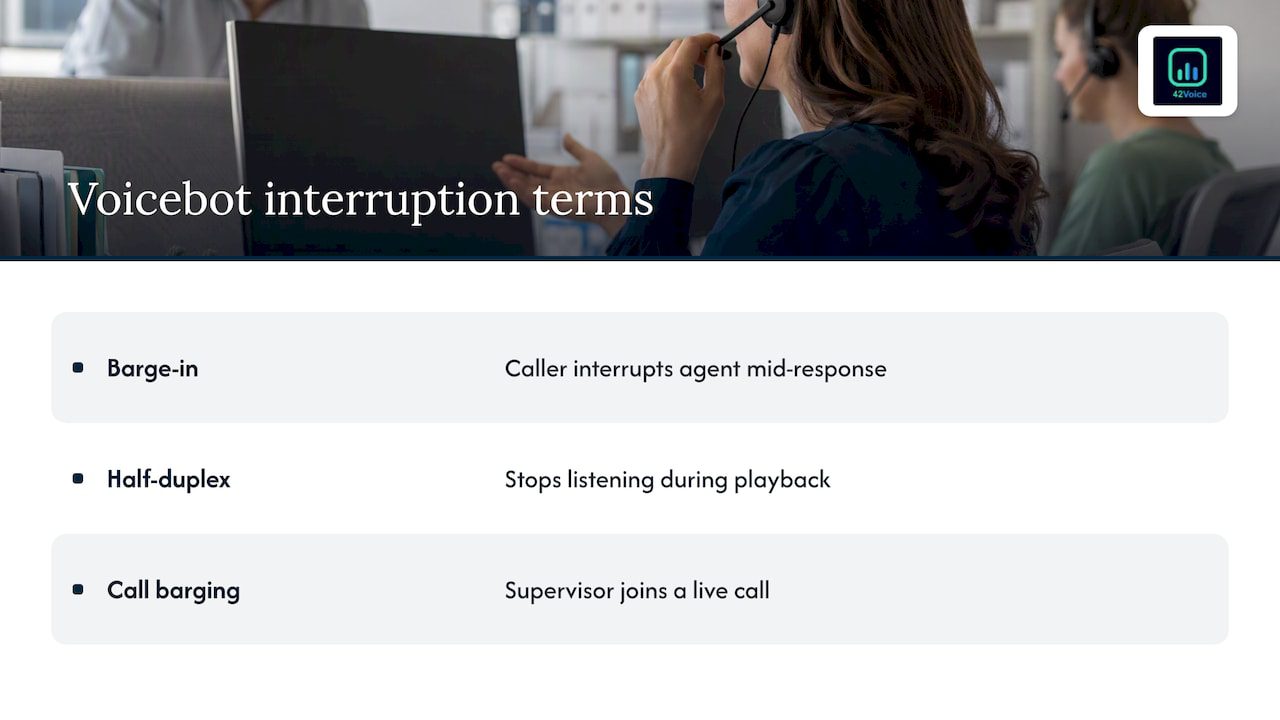
In voice AI, barge-in means the caller can cut off the agent mid-response and be heard straight away, rather than waiting for the agent to finish speaking. It only works if the system keeps listening while it plays audio back. An older, half-duplex design stops listening the moment it starts talking, so it cannot support barge-in at all.
A quick example from a plumbing business:
Bot: “Thanks for calling Harbour Plumbing. I can book a callout, take a message, or pass you to the team. Our standard callout times are…”
Caller: “Yeah, it’s a burst pipe, can someone come today?”
Bot: (stops) “Understood. A burst pipe sounds urgent. What’s the suburb?”
The caller did not need the menu. A bot with no barge-in would have read the whole list first.
One warning on terms. In telephony, “call barging” is a different feature: a supervisor joins a live call to listen in or step in. That has nothing to do with the caller interrupting a bot. If you are shopping for a voicebot, you want the first meaning.
Why barge-in matters for your phones
People interrupt on the phone all the time. They answer a question before it ends, correct a misheard detail, or say “just put me through to someone”. A bot that cannot handle this feels slow and robotic, and callers judge it in the first ten seconds.
For a trades business, the caller is often standing on a roof or in a ute with the engine running. For a clinic, the caller is often anxious. For a restaurant, the caller wants a table for Friday and does not want to hear the opening hours. In each case the bot should give way quickly.
Barge-in also ties closely to speed. If the bot takes a long pause before reacting, interruptions feel ignored. We cover that side in our piece on voice AI latency and why pauses cost you callers.
How a voicebot detects an interruption
The basic loop is simple. The microphone stays open while the bot talks. A voice activity detector (VAD) listens for human speech and flags the moment someone starts. When it fires, the system stops the bot’s audio.
The hard part is deciding whether that sound is a real interruption. The Beluga AI documentation describes combining VAD for onset detection with turn detection for contextual classification. VAD says “someone made a sound”. Turn detection asks “is this person taking the floor, or just reacting?” Using both helps the agent tell an interruption from the natural end of a turn, and avoids cutting the bot off prematurely.
In plain terms, a good system works in three stages:
- Hear it. Detect speech onset fast, so the bot stops within a fraction of a second.
- Classify it. Decide whether it is a real interruption, a short acknowledgement, or noise.
- Act on it. Stop, resume, or yield the floor accordingly.
Some systems add a confirmation step. The bot pauses its audio when it hears speech, then waits for a word or two of transcript before deciding the interruption is real. This is sometimes called soft barge-in, and it trades a little speed for fewer false stops.
Real interruption, backchannel or background noise
This is where most voicebots succeed or fail. Four kinds of sound hit the microphone while the bot speaks:
| Sound | Example | What the bot should do |
|---|---|---|
| Real interruption | “No, I said Thursday” | Stop and listen |
| Backchannel | “Mm-hm”, “okay”, “right” | Keep talking |
| Background noise | Drill, traffic, a barking dog | Keep talking |
| Echo | The bot’s own voice looping back | Ignore |
LiveKit’s adaptive interruption model analyses acoustic signals to separate true interruptions from backchannels, incidental sounds and background noise. It filters non-interruptive sounds such as “uh-huh” and “okay”, which cuts false turn switches and needless agent stops.
Two more practical tools help:
- Resume after a false alarm. LiveKit recommends setting a false interruption timeout, so the bot can carry on with its interrupted speech if the “interruption” turns out to be transient noise.
- Clean the audio first. The same guidance notes that voice isolation and background noise suppression, applied before VAD or transcription, improve interruption detection in noisy or multi-speaker settings.
That last point matters for Australian trades. A caller on a building site, or a cafe owner forwarding calls with the coffee machine running behind them, creates exactly the audio that trips naive detection.
What happens to the bot’s speech and memory when it is interrupted
Stopping the audio is only half the job. Behind the scenes, a well-built bot has to tidy up three things.
- Stop generating. According to the Pipecat documentation, the bot cancels in-flight language model generation and speech synthesis, and flushes audio that has not yet played.
- Remember only what was heard. The conversation context should contain only the words the caller actually heard. Pipecat describes committing the partial, spoken-so-far text to the context.
- Keep the transcript honest. OpenAI’s documentation notes that, over WebSocket connections, the client has to send truncation commands to remove the unplayed part of a response. The model cannot line up its transcript with partly played audio by itself.
Why does this matter to you as an owner? Say the bot starts reading out your cancellation policy, the caller interrupts at the second sentence, and the bot’s memory still says it delivered the whole policy. Later it might tell the caller “as I explained, there is a fee”. The caller never heard that. Bad truncation produces confident, wrong follow-ups, and those show up in your transcripts as disputes.
Why barge-in feels slow or unreliable
When barge-in disappoints, the cause is usually one of these:
- Detection threshold too sensitive. The bot stops for every cough, breath or passing truck. Callers hear choppy, half-finished sentences.
- Threshold too relaxed. The bot talks over the caller for a second or more before it yields. This feels rude and makes callers repeat themselves.
- Echo on the line. The bot’s own voice leaks back into the microphone and is read as a caller interrupting. Speakerphone and some phone systems make this worse.
- Slow pipeline. Transcription, language model and speech synthesis each add delay. LiveKit lists preemptive generation as one fix: the model and voice start preparing a reply as soon as a final transcript arrives, before the turn is fully confirmed.
- Long, unbroken bot turns. If the bot speaks in 40-word blocks, callers have more reasons to interrupt. Short sentences reduce the problem at its source.
- Context not rolled back. As above, the bot keeps talking as though the caller heard everything.
The Cekura write-up frames it as measurement: detection latency, false-trigger rate and premature cutoff rate are the numbers that show whether a threshold is set wrong in either direction. You do not need to run those yourself, but you should ask any provider how they watch them.
How to test barge-in before you go live
You can learn a lot in an hour with a phone and a few colleagues. Call the bot and run these checks:
- Interrupt early. Cut in after the first three words of the greeting. The bot should stop almost immediately.
- Interrupt late. Cut in on the last word of a sentence. The bot should not stumble or repeat itself.
- Say “mm-hm” and “okay” mid-sentence. The bot should carry on.
- Correct something. Give a wrong date, then interrupt with “no, Thursday”. The bot should use Thursday, not Tuesday.
- Ask what it just said. After interrupting a long answer, ask “what was that?” The bot should only repeat or refer to what you heard.
- Add noise. Call from a car with the windows down, near a power tool, or with a TV on. Watch for false stops.
- Try an accent and a second language. If you serve multilingual customers, test in those languages too.
- Ask for a person. Interrupt with “put me through to someone”. The bot should hand off straight away, not finish its pitch first.
Write down what failed, then fix the script and settings and test again. Do this with your real callers’ phrasing: a plumber’s customer says “hot water’s gone”, not “I would like to report a fault”.
Designing scripts that work with barge-in
Barge-in is not only a technical setting. Script design makes it easier or harder.
- Lead with the question. Skip the long menu. “Are you calling to book, or about an existing job?” gets to the point.
- Keep turns short. One idea per sentence, and a pause where a caller can jump in.
- Confirm key details once. Repeat a booking time back in a single line, not a paragraph.
- Protect the few things that must be heard. Recording notices and, for outbound calls, the AI disclosure, should be short and early. Some setups let you make a line non-interruptible. Use that sparingly, because it removes the caller’s control.
- Plan for the hard moments. A distressed caller, a complaint or a billing dispute should go to a person. We build the human handoff in from the start, and the bot should step aside as soon as someone asks.
If you want to see how interruptions play out in outbound conversations, how AI assists sales conversations is a helpful companion on the sales side of the call.
Barge-in on outbound and collections calls
Interruptions are more frequent on outbound calls, because the person did not choose to call you. They say “not interested”, “who is this?” or “take me off your list”, often before the bot finishes its introduction. A bot that talks through that is both annoying and a compliance risk.
If you run outbound sales or collections in Australia, these are the considerations to check, and they are not legal advice:
- Do Not Call Register. Telemarketing calls to numbers on the register are restricted, and the ACMA lists rules that apply even to exempt callers. These include calling only at permitted times, stating who is calling and why, ending the call when asked, and showing caller ID.
- Privacy Act. How you collect, store and use caller information, including recordings and transcripts, falls under privacy obligations. Your own policy should cover it.
- AI disclosure. Tell people early that they are speaking with an AI agent.
For these calls, barge-in has a simple job: the moment someone says “stop” or “remove me”, the bot stops, confirms and ends the call. Speak to your legal adviser about how the rules apply to your business. For first-party payment reminders, we cover the approach in our debt collection agents page.
Our view: interruptions are information
We think about barge-in a little differently from the engineering threads you will find on the topic. A caller interrupting is rarely a technical glitch. It is the caller telling you something: “I know what I want”, “you got that wrong” or “I need a person”.
That is why our agents handle the repetitive, high-volume calls, such as bookings, opening hours and account enquiries, and pass every human moment to your team. Nuance, empathy and closing a sale belong to a person. We do not set out to replace your staff. We aim to stop them answering the same question forty times a day and missing the call that matters because they were on a job.
A few things we hold to:
- Test with real calls. Our agents are backed by human-in-the-loop quality review, so we read transcripts and listen for where callers cut in and what happened next.
- Tune per business. A noisy workshop and a quiet dental clinic need different settings. We adjust for your callers, not a generic average.
- Be honest about limits. A heavy accent on a bad line, two people talking at once or an angry caller can still trip a bot. Those calls should go to a human quickly, and our handoff is built for that.
- Go live fast, then improve. Our agents can be live in 3 to 5 days, and the first week of real calls teaches more than any lab test.
— Alston
Where 42Voice fits
If missed calls, after-hours calls or repetitive enquiries are costing you work, an AI voice agent can answer every one, in multiple languages, and book straight into your calendar or CRM. Our AI Receptionist handles inbound calls with natural interruption handling and a smooth handoff to your team when a call needs a person. Pricing is tailored to your business, and there is no lock-in contract. You can see how the plans are structured on our pricing page, and read about getting live in 3 to 5 days.
FAQ
What is a voicebot?
A voicebot is software that talks with callers by phone or voice channel, using speech recognition to understand them and synthetic speech to reply. Modern ones use a language model to handle open conversation rather than fixed menus. Good ones hand off to a person when a call needs judgment or empathy.
What is barge-in detection?
It is the part of a voicebot that notices a caller has started speaking while the bot is talking. It combines voice activity detection with a check on whether the sound is a real interruption, a short “mm-hm” or background noise. When it confirms an interruption, the bot stops and listens.
Can barge-in be turned off?
On many platforms, yes, and sometimes it is turned off for single lines, such as a short legal notice. Turning it off for whole calls usually frustrates callers, because they cannot correct or redirect the bot. We recommend keeping it on and tuning the sensitivity.
Is using an AI voice on calls illegal in Australia?
No, but rules apply to how you use it. Outbound calls are subject to the Do Not Call Register and ACMA telemarketing rules, and recording or using caller data falls under privacy obligations. You should tell callers they are speaking with an AI and get advice from your own legal adviser.
Book a free 15-minute demo
Want to hear how a voice agent handles interruptions on your kind of calls? Book a free 15-minute demo and we will walk you through a live call.
Sources
- Barge-In: Definition, Detection and Failure Modes
- ML-Based Barge-In Detection | Beluga AI
- Adaptive interruption handling | LiveKit Documentation
- Turn-taking tuning | LiveKit Documentation
- Interruptions | Pipecat
- Realtime conversations | OpenAI
- Dealing with telemarketing | ACMA
- How AI Assists Sales Conversations for B2B Teams
Recommended
- Containment 70–95%: Voicebot Customer Service Playbook for CX Leaders
- IVR vs Voicebot: Which One Fits Your Call Flows?
- Voice AI Latency: Why Pauses Cost You Callers
- Chatbot vs Voicebot: Which Should Your Business Use?
This article is general information about AI voice technology and isn’t legal or compliance advice. Requirements for call recording, AI disclosure and outbound calling vary by state and use case.