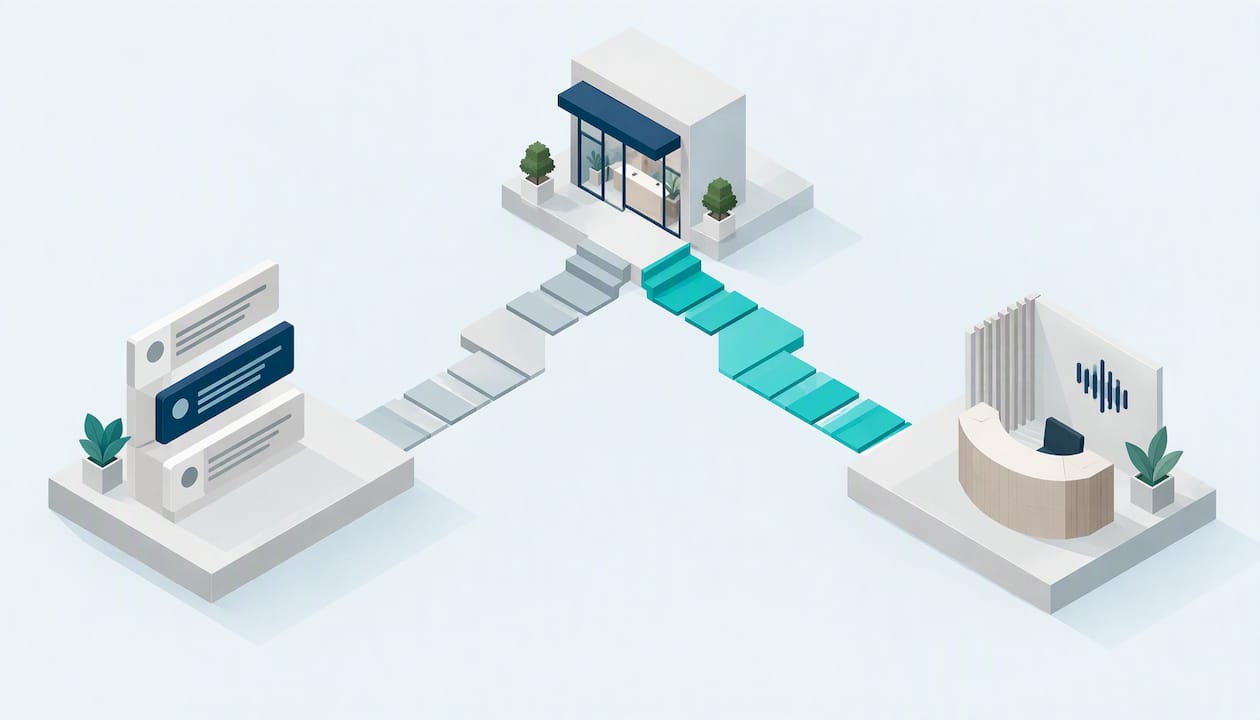
A chatbot handles text conversations on your website, in an app or by SMS. A voicebot handles live phone calls, listening and speaking in real time. If your customers mostly type, a chatbot fits. If they ring you, especially while they’re busy, stressed or after hours, you need a voicebot. Many Australian small businesses end up needing both, with a person ready to step in on either.
I’m Alston from 42Voice. We build voice agents, so we’re not neutral on phone calls, but we’ll be straight about where a chatbot is the better tool. This guide covers the real differences, a way to choose, the Australian compliance points that catch owners out, and where humans must stay in charge.
Table of Contents
- The short answer: it’s about the channel your customers use
- Where a chatbot is the better choice
- Where a voicebot is the better choice
- Voicebot vs old-school IVR
- What it looks like in practice
- How to choose: five questions
- Compliance: what Australian businesses need to get right
- Humans stay in the loop
- Our view: start with the call you’re missing most
- Where 42Voice fits
- FAQ
- Ready to hear it for yourself?
- Sources
The short answer: it’s about the channel your customers use
Both are conversational AI. Both can answer questions, collect details and pass work to your systems. The difference is the channel, and the channel changes almost everything else: how people behave, how forgiving they are, and what can go wrong.
| Chatbot | Voicebot | |
|---|---|---|
| Channel | Text: web chat, SMS, messaging apps | Voice: inbound and outbound phone calls |
| Customer mood | Usually relaxed, browsing, multitasking | Often urgent, on the move, or can’t type |
| Pace | Customer can pause and come back | Real time, silence feels awkward |
| Good at | Links, forms, order status, FAQs, anything visual | Bookings, call triage, after-hours cover, reminders |
| Main risk | Dead-end loops, ignored chat windows | Misheard names, accents, background noise, interruptions |
| Setup effort | Needs a website or app presence | Connects to your phone system and calendar |
A voicebot also needs more under the bonnet: speech recognition, language understanding and speech synthesis working together with low delay. That’s why a bad voicebot is so obvious and a good one feels natural. A vendor-side comparison of the two lists the same building blocks: speech-to-text, language processing and text-to-speech.
Where a chatbot is the better choice
We’d rather you pick the right tool than the one we sell. A chatbot wins when:
- Customers are already on your website. A visitor comparing options on a product page will happily type a question.
- The answer is visual or needs a link. Sizing charts, quotes, a booking form or a tracking page are easier to share in text.
- The enquiry isn’t urgent. “Do you ship to Perth?” can wait for a chat window.
- Your audience prefers typing. Plenty of people avoid phone calls, and that’s fine.
- You want a written record the customer can keep. Text is easy to scroll back through.
If your phone rarely rings and most enquiries arrive through a web form, start with a chatbot.
Where a voicebot is the better choice
A voicebot earns its place when the phone is how your customers actually reach you.
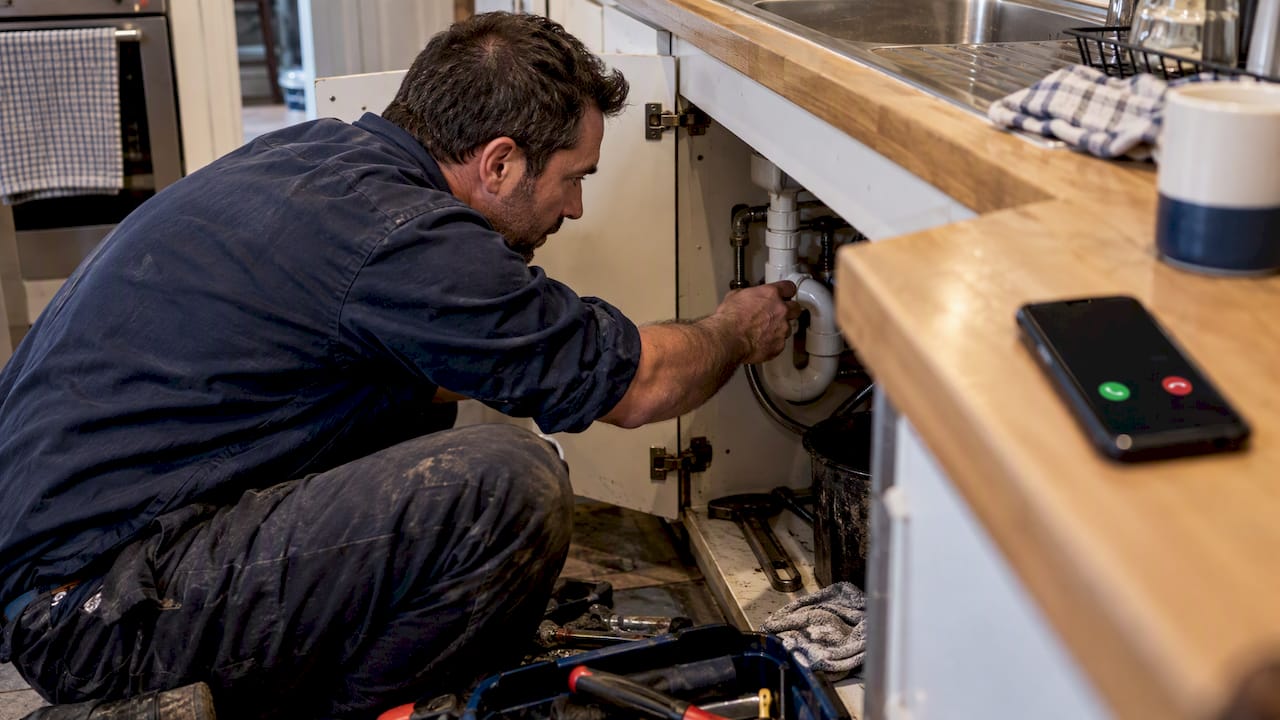
Trades and home services. A plumber under a sink or an electrician on a roof can’t answer. The customer with a burst pipe isn’t going to fill in a web form. They ring, and if nobody picks up, they ring the next business on the list.
Clinics. Patients booking a physio, dental check-up or GP appointment often call, and many call outside opening hours. A voice agent can check the calendar, book the slot and send a confirmation, so your front-desk team isn’t stuck on repetitive scheduling calls.
Hospitality. Table bookings, group enquiries and “are you open on Sunday?” calls arrive in the middle of a dinner service. Nobody on the floor has a free hand.
After-hours cover. Customers don’t stop needing you at 5:30 pm. A voicebot can answer, capture the details and book or flag the job for the morning.
Multilingual callers. Voice is where language barriers bite hardest. Our agents work in 9+ languages, which helps when your customers don’t all speak English as a first language.
The common thread: high-volume, repetitive calls with a clear outcome (a booking, a quote request, a status check, a message taken properly). That is the work voice agents do well.
Voicebot vs old-school IVR
Some owners hear “voicebot” and picture “press 1 for sales, press 2 for support.” That’s an IVR menu, and it’s a different thing. An IVR makes the caller adapt to a fixed menu. A voicebot lets the caller say what they want in their own words, then works out what to do. The caller doesn’t need to know your internal departments to get help.
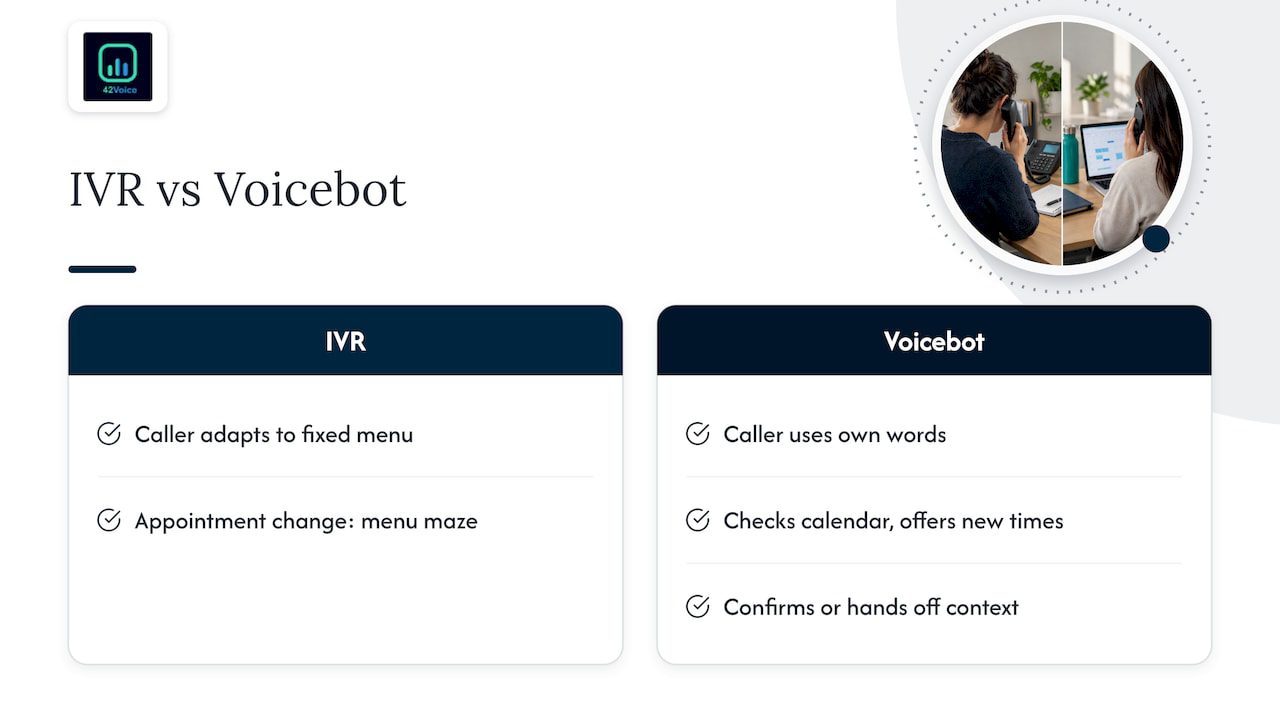
The practical gap: an IVR sends a caller who says “I need to move my Thursday appointment” down a menu maze. A voice agent hears it, checks the calendar, offers new times and confirms. If it can’t, it hands off to a person with the context already captured.
What it looks like in practice
Here’s a simplified example of an inbound call to a physiotherapy clinic:
Agent: Hi, you’ve reached Harbourside Physio. I’m the clinic’s automated assistant. How can I help?
Caller: I need to move my appointment on Thursday.
Agent: Sure. Can I take your name and date of birth to find your booking?
Caller: It’s Priya Nair, 4 March 1988.
Agent: Thanks, Priya. I can see Thursday at 10:30 am. I have Friday at 9:00 am or Monday at 2:15 pm. Which suits?
And where it should stop:
Caller: Actually, my shoulder’s got worse since the last session and I’m in a lot of pain.
Agent: I’m sorry to hear that. I’ll put you through to a member of the team now so they can help.
That second exchange is the point. The agent does the scheduling. The person handles the pain, the worry and the clinical judgement. (This is an illustrative script, not a real customer call.)
How to choose: five questions
- How do customers contact you today? Check your phone log and your web enquiries for a month. Count them.
- How many calls go unanswered? Missed calls during jobs, lunch and after hours are lost revenue. Your phone provider’s call log usually shows this.
- What do the calls actually ask for? If 60 to 70 per cent are bookings, hours, location and status checks, they’re good candidates for automation. Tally a sample rather than guessing.
- How urgent are they? Urgent and emotional enquiries lean towards voice, with a human fallback.
- What systems must it connect to? A voicebot that can’t see your calendar or CRM is just a message taker. Make sure it connects to the tools you already use.
If the answers point to the phone, go voice first. If they point to your website, go chat first. If both are busy, run both on one set of rules so customers get consistent answers.
Compliance: what Australian businesses need to get right
This section is general information, not legal advice. For your situation, speak to a lawyer or your industry body.
Tell people they’re talking to AI
The OAIC’s guidance says businesses should update privacy policies and notifications with clear information about their AI use, and that public-facing tools such as chatbots should be clearly identified as AI. A footer disclaimer isn’t enough on a phone call. Have the voicebot introduce itself in the first sentence, as in the clinic example above.
Privacy applies to what the bot collects
Names, phone numbers and appointment details are personal information. The same OAIC guidance explains that privacy obligations apply to personal information put into an AI system and to the output it generates. Before you buy anything, work through the OAIC’s checklist for selecting an AI product. Ask any vendor, us included, where data is stored, who can access it and how accuracy is tested.
Outbound calls are a different game
If your voicebot makes calls that aim to sell, advertise or promote, that is telemarketing under ACMA’s definition. Three things to plan for:
- Do Not Call Register. Calling lists need to be “washed” against the register, unless you have permission or an exemption applies. Details are on ACMA’s Do Not Call Register page.
- Consent. ACMA’s consent expectations for telemarketers make clear consent has to be properly established, so keep a record of where and when it was given.
- Disclosure. Identify your business and the purpose of the call, and say it’s an automated agent.
Collections calls carry their own rules and sensitivities. Check your obligations before you automate them, and keep a person in charge of anything involving hardship, disputes or distress.
Inbound-only use, such as answering your own incoming calls, avoids the telemarketing side, though privacy still applies. It’s one reason many owners start with reception.
Humans stay in the loop
The best chatbot and voicebot deployments have the same design principle: automation takes the repetitive work, and people take the moments that need empathy, judgement or a close. We don’t see AI as a way to replace your staff. It’s a way to stop them being buried in calls that don’t need them.
That means designing the handoff before launch:
- Define triggers. Distress, complaints, pricing negotiation, clinical symptoms, legal threats and “let me talk to a person” should all route to a human.
- Pass the context. The person picking up shouldn’t make the caller repeat themselves. A summary and transcript should arrive with the call. Our guide to AI-to-human handoff goes through the detail.
- Plan for after hours. If no one is available, the agent should take a proper message and promise a specific callback window.
- Review regularly. Read transcripts weekly in the first month, fix misheard terms and tighten the scripts. Treating AI as set-and-forget is where most problems start.
In clinics, be especially careful. A voice agent can book and remind. It shouldn’t make decisions about someone’s health, and anything going into a clinical record needs review by a qualified person.
If your escalation paths touch complex back-end systems, such as legacy platforms or regulated data, it’s worth getting engineering help on integrating human escalation into enterprise systems so the handoff doesn’t break at the seams.
Our view: start with the call you’re missing most
We talk to a lot of owners who’ve been told they need “an AI strategy.” They don’t. They need the phone answered.
Our advice is plain:
- Pick one job: reception, after-hours cover, lead follow-up or payment reminders.
- Measure what you’re losing today. Count missed calls for two weeks.
- Launch one agent with a clear handoff rule.
- Review transcripts, fix gaps, then expand.
A chatbot can be a good partner to this later, if web enquiries grow. But when the phone is your front door, a chat widget alone won’t catch the caller who’s already dialling. We built 42Voice around the phone for that reason, and we back every agent with human-in-the-loop quality control. We also don’t lock you into contracts. For a deeper look at the build-versus-people question, see our AI receptionist vs human pilot guide.
— Alston
Where 42Voice fits
If the phone is your main channel, our AI Receptionist answers inbound calls around the clock, books into your calendar, takes messages and hands complex calls to your team. We also offer agents for sales development, tier-1 support and collections. Agents plug into the calendars, CRMs and ticketing tools you already use, and we aim to have you live in 3 to 5 days. Pricing is tailored to your business, so see the plans and talk to us about what fits.
FAQ
Is a voicebot just a chatbot with a voice?
Not quite. They share the same idea, but a voicebot adds speech recognition and speech synthesis and has to cope with real-time conversation, accents, noise and interruptions. That makes the design and testing harder, and it’s why the quality varies so much between products.
How can I tell if I’m talking to a bot?
In Australia, businesses are expected to be open about AI use, and the OAIC says public-facing AI tools should be clearly identified as such. A well-run voicebot says so at the start of the call. You can also simply ask, and you should always be able to request a person.
Can a voicebot replace my receptionist?
We don’t think it should. It takes the repetitive calls, like bookings, hours and after-hours messages, so your team can focus on people who need warmth, judgement or a decision. Complex and sensitive calls go to a human.
Do I need to worry about the Do Not Call Register?
If the calls aim to sell or promote something, yes. Wash your lists, document consent and identify your business and purpose, using ACMA’s guidance as your starting point. Get legal advice for your specific campaign.
Ready to hear it for yourself?
See how a voice agent handles your calls, your calendar and your handoff rules. Book a free 15-minute demo and we’ll walk you through it.
Sources
- OAIC: Guidance on privacy and the use of commercially available AI products
- OAIC: Checklist, privacy considerations when selecting an AI product
- ACMA: Dealing with telemarketing
- ACMA: Telemarketing compliance alerts
- ACMA: Do Not Call Register
- ACMA: Consumer consent expectations for telemarketing and e-marketing
- Floatbot: Voicebot vs chatbot
Recommended
- IVR vs Voicebot: Which One Fits Your Call Flows?
- Go Live in 3–5 Days with Conversational AI for CX Teams
- AI Voice Cloning for Australian SMEs: Automate, Don’t Replace Staff
- Containment 70–95%: Voicebot Customer Service Playbook for CX Leaders
This article is general information about AI voice technology and isn’t legal or compliance advice. Requirements for call recording, AI disclosure and outbound calling vary by state and use case.