
A modern voicebot can resolve most routine inbound calls without a human on the line, cut cost per call, and deliver 24/7 coverage. The primary metric to watch is containment rate, with well-tuned deployments reaching 70–95% after tuning, sub-second response times, and a pilot that shows measurable results within two to four weeks. Complex or emotional calls still need a fast, clean handoff to a person.
Table of Contents
- What Is Voicebot Customer Service, Really?
- How Voicebots Actually Work Behind the Scenes
- What ROI Actually Looks Like
- Where Voicebots Deliver the Most Value
- What To Test Before You Buy: A Production Readiness Checklist
- From Pilot To Scale: A Realistic Rollout Timeline
- Getting the Handoff Right When a Bot Can’t Finish the Call
- The Real Risks, And How Serious Teams Handle Them
- Why 42voice Fits Teams Ready To Pilot This
- Prioritized Next Steps For This Quarter
- How 42voice Helps Teams Deploy Voicebots Faster
- Sources
- FAQ
What Is Voicebot Customer Service, Really?
A voicebot built for customer service in 2026 is a phone-first AI agent that listens, understands intent, pulls live data from your systems, and speaks back in a natural voice, all in one continuous conversation. That’s a different animal from the touch-tone IVR menus most callers still dread, and it’s worth being precise about the difference before you sit through a vendor demo.
Legacy IVR runs on rigid menus: “Press 1 for billing, press 2 for support.” It can’t understand free speech, can’t handle interruptions, and forgets everything the moment you get transferred. A modern voicebot, by contrast, listens to full sentences, holds context across the call, and can be interrupted mid-sentence without losing the thread. That capability, often called barge-in, is one of the clearest signals of a production-grade system versus a scripted one.
Here’s how the two compare on the things that matter to callers:
- Input method: IVR requires keypad presses or rigid phrases; a voicebot understands natural speech, including corrections and side comments.
- Interruption handling: IVR forces callers to wait out a full menu; a voicebot supports barge-in, so a caller can cut in and change direction.
- Context preservation: IVR resets between menu branches; a voicebot carries the caller’s intent, account details, and prior statements through the entire call.
- Escalation: IVR routes blindly by menu choice; a voicebot can detect frustration or complexity and transfer with a summary already in hand.
“Containment” is the term you’ll hear most in vendor conversations, and it simply means the percentage of calls the voicebot resolves without looping in a human agent. Amtelco’s automated voice service documentation is a useful reference point for what traditional IVR and speech-recognition systems could do, precisely because it shows how far the baseline has moved.
How Voicebots Actually Work Behind the Scenes
Every voice AI agent runs on a chain of five components, and knowing where each one can break is the fastest way to ask smarter vendor questions. Voiceflow’s technical breakdown of this runtime loop is one of the clearest explanations available, and it maps closely to what you’ll see in any serious production system.
The call starts with automatic speech recognition (ASR), which converts the caller’s voice into text in real time. That text passes to a language model or NLU layer, which figures out intent: is this a reschedule request, a billing question, or something the system has never heard before? From there, the system grounds its answer, meaning it checks a knowledge base or calls a live API (a CRM, a calendar, an order system) rather than guessing, as explained in detail by chatbot marketing. The response then goes through text-to-speech (TTS) to become audio, and telephony infrastructure carries that audio back down the line, typically over a SIP trunk connected to your existing phone number.
Two things separate a smooth call from an awkward one: turn-taking and latency. Turn-taking is the system’s ability to know when the caller has finished speaking versus just pausing to think, and to allow barge-in without stepping on the caller’s words. Latency is the gap between the caller finishing a sentence and the bot starting its reply. Retell AI’s benchmarks put the target near 600 milliseconds, the point where a response starts to feel conversational rather than robotic. Anything much slower, and callers start talking over the bot or hanging up.
Integration touchpoints determine whether any of this actually helps your business:
- Telephony: SIP trunks or a number port that connects the voicebot to your existing phone system.
- CRM: Real-time lookups and writebacks so the bot knows who’s calling and logs what happened.
- Calendar systems: Live availability checks for booking, rescheduling, and cancellations.
- Vertical systems: Order management, EHR, or ticketing platforms depending on your industry.
Pro Tip: Ask any vendor to demo a call where the CRM lookup fails or times out. How the bot recovers, gracefully or with dead air, tells you more about production readiness than any scripted demo call ever will.
What ROI Actually Looks Like
Containment rate is the number that determines whether a voicebot pays for itself, and the honest range after a proper tuning period sits at 70% to 95%, depending heavily on call type. Simple, structured requests, order status, password resets, appointment confirmations, land at the high end. Multi-step disputes or emotionally charged calls land lower, and that’s expected, not a failure.
Most vendors quote per-minute voice costs somewhere between $0.07 and $0.20. Run that against your average handle time and current cost per agent-handled call, and the FTE-equivalent savings on high-volume, low-complexity call types become obvious fast.
To translate containment into a real number, take your current call volume for a given call type, multiply by the containment rate you achieve, and compare the resulting per-minute voicebot cost against your blended cost per human-handled call (labor, overhead, and average handle time combined).
CSAT is trickier. Harvard Business Review’s research on customer delight makes a point worth internalizing here: customers don’t need to be wowed, they need their problem solved reliably and without friction. That’s actually good news for voicebot deployments, since a bot that resolves a routine issue in 90 seconds without hold music tends to score well on satisfaction, even without any personality flourishes.
The call types that pay back fastest share three traits:
- High monthly volume, so containment gains translate directly into hours saved.
- Low emotional stakes, meaning the caller wants an answer, not empathy.
- Structured data behind the answer, like an order status or account balance that lives in a system the bot can query directly.
Appointment booking, order status checks, and balance inquiries consistently top the list of fastest-payback use cases across the industry.
Where Voicebots Deliver the Most Value
Some call types are close to a solved problem for voicebots in 2026. Others still benefit from a human safety net. Here’s where the technology earns its keep fastest:
- Inbound support for routine account questions. Order status, balance checks, and password resets are high-volume, low-complexity, and require nothing more than a clean lookup against an existing system.
- Appointment booking and rescheduling. A voicebot with live calendar integration can check real-time availability, confirm a slot, and send a reminder, all inside one call, without a receptionist juggling two screens.
- Lead qualification for inbound sales calls. The bot asks qualifying questions, scores the lead against criteria you define, writes the result into your CRM, and books a meeting with a sales rep if the lead clears the bar.
- Outbound reminders and renewals. Appointment confirmations, payment reminders, and subscription renewal nudges run at scale without tying up a dialer team, and they’re a natural extension of outbound calling workflows many teams already run manually.
- After-hours and overflow coverage. When call volume spikes past what your team can handle, or when it’s 9 p.m. on a Sunday, a voicebot picks up instead of routing to voicemail.
Clinics booking recurring appointments, home services companies fielding after-hours emergency calls, and sales teams drowning in inbound leads from a campaign all sit near the top of the priority list for a first pilot. If your call volume spikes seasonally, appointment booking and lead qualification tend to absorb that surge without requiring temporary staff.
What To Test Before You Buy: A Production Readiness Checklist
Vendor demos are choreographed. A production pilot is not. The gap between the two is where most disappointing voicebot rollouts happen, so test for it directly.
- Latency under real conditions. Push for sub-second response times, and specifically test what happens with multiple concurrent calls, not just one clean demo call.
- Barge-in behavior. Interrupt the bot mid-sentence during the demo. A production-ready system should stop talking and adjust immediately.
- Live grounding, not scripted answers. Ask a question that requires a real-time CRM or calendar lookup, then check the answer against the actual system. A bot reciting a canned response instead of querying live data will fail the moment your data changes.
- Escalation phrasing and warm transfer. Say something like “let me talk to a person” and confirm the bot transfers immediately, not after three more scripted attempts to resolve it itself.
- Transcript logging and observability. Ask to see a dev/prod separation and whether the platform gives you transcript-level logs you can review and use for tuning.
- Pricing transparency. Get the exact per-minute rate, what counts as a “resolved” call for billing purposes, and whether there are hidden fees for integrations or call volume tiers.
Pro Tip: During any demo, deliberately give a wrong or unexpected answer to a bot’s question. How gracefully it recovers, or whether it locks up, is a better readiness signal than watching it complete a perfect scripted call.
From Pilot To Scale: A Realistic Rollout Timeline
Most successful rollouts follow the same pattern: pick one high-volume call type, prove it out, then expand. Trying to automate every phone menu in a single project is the single most common reason voicebot rollouts stall.
- Choose your pilot call type. Pick something high-volume and structured, appointment booking or order status checks are common first choices. Define your success metrics up front: containment target, latency, and CSAT baseline.
- Run simulated calls first. Test edge cases, interruptions, and grounding failures in a sandbox before a single real caller hits the system.
- Launch a canary rollout. Route roughly 20% of live traffic to the voicebot while the rest continues through your existing process, so you can compare outcomes directly.
- Run a short live pilot. Three to seven days of live traffic is usually enough to surface the failure patterns a sandbox can’t catch.
- Tune for two to four weeks. Review transcripts daily, adjust grounding sources, and retrain intent recognition on the specific phrasing your callers actually use.
- Expand deliberately. Once containment and CSAT hit your targets on the first call type, add the next one rather than switching everything over at once.
A few governance basics make the difference between a pilot that scales and one that quietly dies in a spreadsheet:
- Assign a single owner responsible for the pilot’s metrics, not a committee.
- Set up telemetry from day one so containment and latency are visible without manual pulls.
- Build a QA process that samples a percentage of calls weekly, not just when something breaks.
- Define handoff SLAs so escalated calls reach a human within a set number of seconds.
Track four numbers throughout: containment rate, intent recognition accuracy, CSAT, and cost per resolved call. If any of the four is trending the wrong way during tuning, that’s your signal to pause expansion, not push through it.
Getting the Handoff Right When a Bot Can’t Finish the Call
The integrations that matter most are the ones that let a voicebot act, not just talk. A CRM connection lets it pull up the right account and log what happened. A calendar connection lets it check real availability instead of guessing. Order and authentication systems let it verify identity and pull specifics without asking the caller to repeat themselves three times.
When a call needs a human, what travels with that handoff determines whether the agent picking up sounds informed or clueless. A proper warm transfer should include:
- The full call transcript, so the agent doesn’t ask the caller to repeat their problem.
- An intent tag, flagging what the bot believes the caller needs.
- Caller metadata, account number, name, and any identity verification already completed.
- Prior actions taken, like a reschedule attempt that failed or a lookup that came back empty.
Every voicebot deployment needs an immediate escape hatch. Phrases like “talk to a person” or “I need a human” should trigger transfer without the bot attempting one more clarifying question first. Industry practitioners consistently flag this as the line between routine queries the bot should own end-to-end and emotionally charged or ambiguous calls that need a person immediately, and getting that line wrong is one of the fastest ways to frustrate a caller who’s already had a rough day.
On data handling: store call transcripts securely, apply redaction for sensitive fields like payment details or health information, and follow the same access controls you’d apply to any other customer data system, whether that’s GDPR obligations in the EU or CCPA requirements in California. Compliance requirements vary by jurisdiction and industry, so confirm your specific obligations with legal counsel before storing voice data at scale.
The Real Risks, And How Serious Teams Handle Them
Voicebots fail in predictable ways, which is actually good news: predictable failures are fixable failures.
- Latency and awkward pauses. Set a firm internal target near 600 milliseconds and test under real concurrent-call load, not just single-call demos.
- Hallucinated answers. Ground every response in a knowledge base or live system lookup, and restrict the model from answering questions outside that grounded data.
- Accents and unusual phrasing. ASR accuracy varies by accent and dialect, so test with a representative sample of your actual caller base, not a single accent during the sales demo.
- No graceful fallback. Build an immediate human-escape phrase into every flow, and make sure it works even mid-sentence.
Pro Tip: Set up a weekly transcript review ritual for the first month, even just 30 minutes. Reading ten real transcripts catches more real problems than any dashboard metric on its own.
A continuous improvement loop, transcript review, an observability dashboard, and periodic A/B testing of prompt changes, is what separates a voicebot that gets better every month from one that plateaus after launch.
Why 42voice Fits Teams Ready To Pilot This
42voice runs AI voice agents that handle inbound calls, book appointments, qualify leads, and cover after-hours volume, all in more than nine languages, with typical deployment for a single use case landing in three to five days. That timeline matters because it lets a pilot start and produce real containment data inside a single planning cycle instead of a multi-month integration project.
A sensible first configuration looks like this:
- Pick one call type, appointment booking is a common starting point for teams with calendar-heavy operations.
- Connect one system first, usually the calendar or CRM the pilot depends on most.
- Run a live pilot of three to seven days, then tune based on transcript review before expanding to a second call type.
Teams evaluating voice AI agent use cases for the first time typically find the fastest path to a defensible ROI number is starting narrow and proving containment before adding complexity.
Prioritized Next Steps For This Quarter
If you’re reading this because leadership wants a voicebot answer by next quarter, don’t start with a full contact center overhaul. Start with appointment booking or order status, whichever has higher monthly call volume, and set a containment goal for week two of the pilot rather than week one, since the first week is almost always noisier than expected.
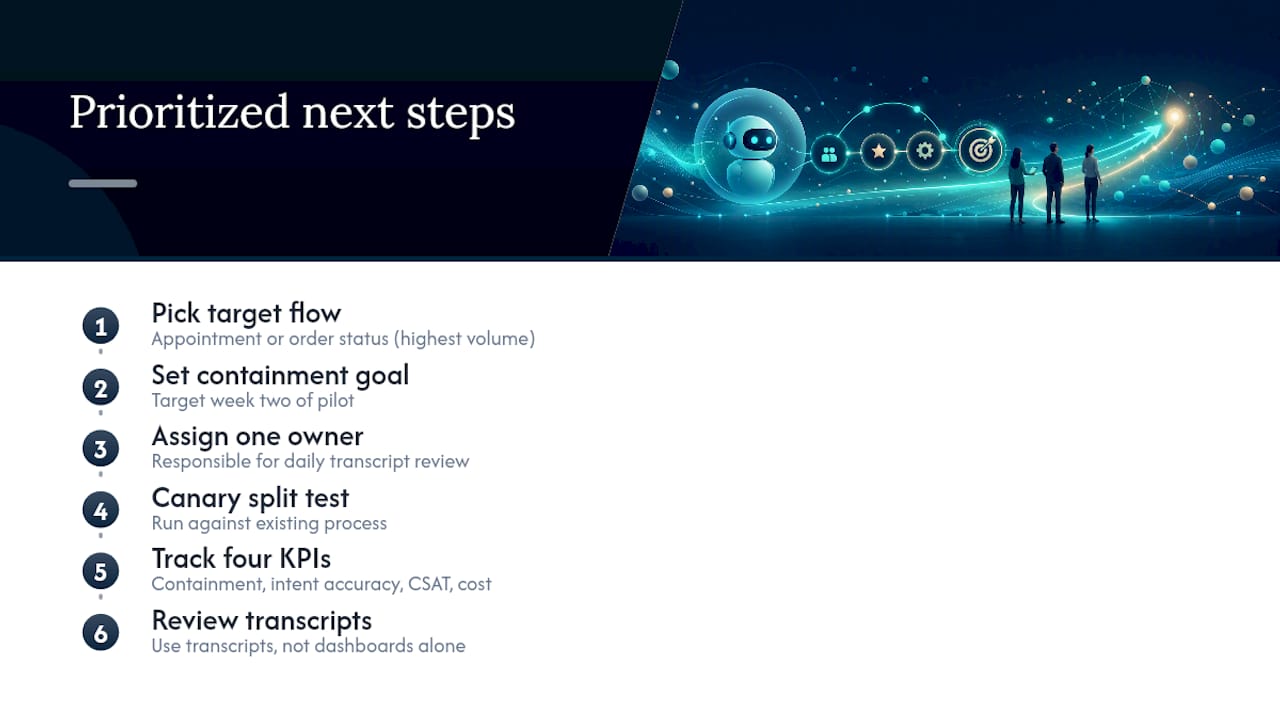
Name one owner for the pilot. Not a committee, one person accountable for reading transcripts daily during the first two weeks and adjusting grounding sources or prompt phrasing based on what real callers actually say, not what the demo script assumed they’d say. Run a canary split against your existing process rather than switching all traffic at once, and track the same four numbers throughout: containment, intent accuracy, CSAT, and cost per resolved call.
The teams that get burned on voicebot projects almost always skipped the transcript review discipline in favor of trusting the dashboard. Dashboards summarize. Transcripts reveal.
— Jesse
How 42voice Helps Teams Deploy Voicebots Faster
Some AI voicebot platforms can get a single voicebot use case live in a matter of days rather than taking months, thanks to prebuilt integrations with calendars, CRMs, and phone systems, plus multilingual voice agents ready to handle inbound support, appointment booking, lead qualification, and after-hours coverage.

If your team is weighing a pilot for appointment booking specifically, the voice-first appointment booking guide walks through exactly what a calendar-connected deployment looks like in practice. For home services businesses fielding after-hours emergency calls, the home services call automation page breaks down typical outcomes for that vertical. When you’re ready to see the platform handle a real call flow for your business, request a demo through 42voice’s solutions page and bring your highest-volume call type to the conversation.
Sources
- What Is a Voicebot? How It Works and How to Build One — Voiceflow
- Voicebot customer service: features, use cases & ROI | Retell AI
FAQ
What Is Voicebot Customer Service?
Voicebot customer service refers to AI voice agents that answer inbound calls, understand natural speech, pull live data from business systems, and resolve routine requests without a human agent, escalating complex cases when needed.
How Is a Voicebot Different From an IVR System?
An IVR relies on keypad menus and rigid scripts, while a voicebot understands full sentences, supports interruptions, and preserves context across the entire call, as Voiceflow’s technical guide explains.
What Containment Rate Should I Expect?
Well-tuned voicebots typically reach 70% to 95% containment depending on call complexity, with simple structured requests like order status landing at the higher end.
How Long Does It Take To Deploy A Voicebot?
A single use case can go live in three to five days with a platform like 42voice, followed by two to four weeks of transcript-driven tuning before expanding to additional call types.
What’s The Biggest Risk With Voicebots In Customer Service?
Hallucinated or ungrounded answers and slow response times are the two most common failure points; both are mitigated by grounding responses in live systems and targeting response latency near 600 milliseconds.