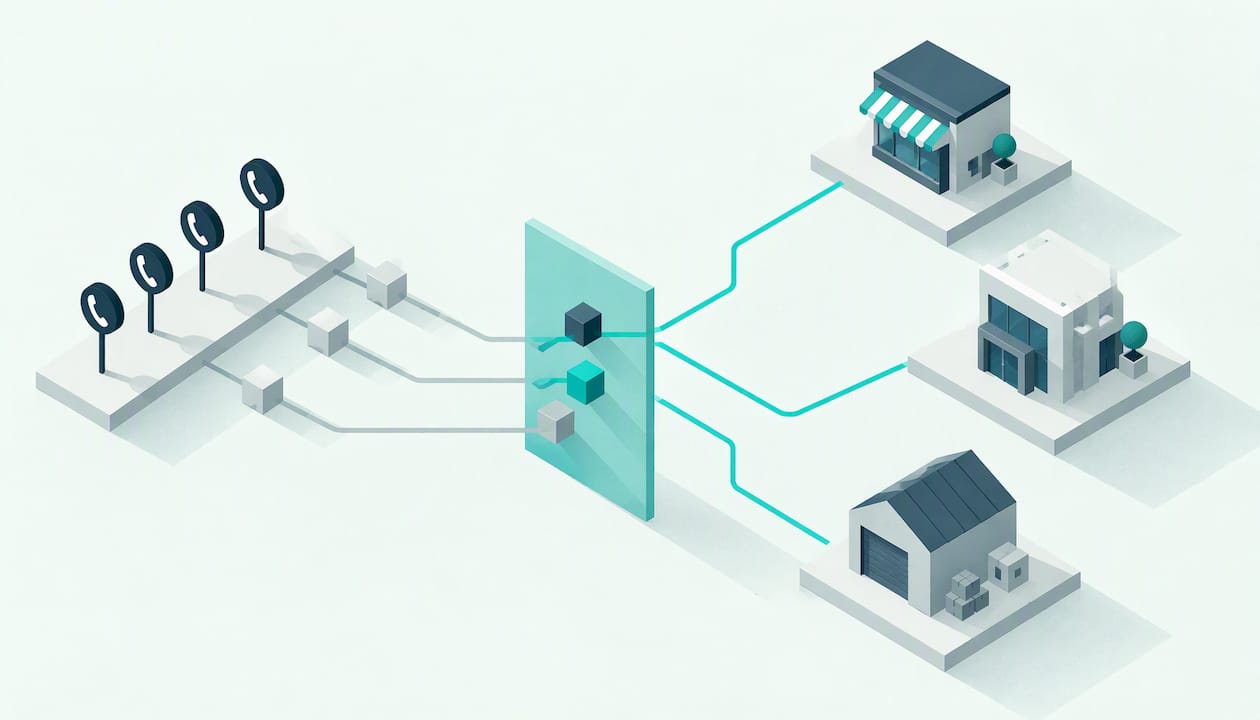
Caller ID based routing means your phone system looks at the number a call comes from and decides where to send it before anyone answers. A known VIP goes straight to the owner. A repeat customer goes to their account manager. An unknown number goes to your AI voice agent or the general queue. You can set it up with a few rules and a list of numbers, and it works best when you pair it with a clear fallback for the calls you can’t identify.
This guide covers how it works in Australia, how to build rules that help rather than confuse, what the technology can’t do, and where a human should always take over.
Table of Contents
- How caller ID based routing works
- Where caller ID routing earns its keep
- Build your rules in order
- Call forwarding is the first step, not the whole system
- What caller ID routing can’t do
- Privacy and compliance basics
- Our view: route by number, but finish with a person
- Where an AI voice agent fits in your routing
- A simple setup plan for this week
- Work with 42Voice
- FAQ
- Sources
How caller ID based routing works
Every call carries a calling number. Your phone system reads it and compares it to a list. If there is a match, a rule fires. If there isn’t, the call follows the default path.
The steps are simple:
- A caller dials your main number.
- The system reads the incoming number.
- It checks the number against your list, or against your CRM if the two are connected.
- A rule sends the call to a person, a team, a voicemail box or an AI agent.
- If nobody picks up, a fallback rule takes over.
You will also see this called caller ID routing or CLI routing. In Australia, the ACMA describes calling number display, also known as caller ID or calling line identification, as the feature that shows the caller’s number on the receiving phone. Your routing rules use the same information.
Caller ID is not the same as ANI
The number a customer sees on their screen and the number your system receives can differ. ACMA guidance notes that caller ID and Automatic Number Identification (ANI) are separate technologies, and that blocking codes don’t always stop identification when a caller reaches certain automated business systems. So a caller who hides their number may still be matched by your system, depending on your carrier and setup. Don’t promise customers either outcome. Ask your provider what your line actually receives.
Where caller ID routing earns its keep
Most small businesses don’t need a complex call centre design. They need three or four rules that fix the calls that hurt most.
VIP and priority callers
VIP call routing sends your best customers, key suppliers or referral partners to a real person fast. Think of the plumbing contractor who sends you three jobs a week, or the long-term client on a retainer. Put their numbers in a list and route them to a direct mobile or a small priority group.
Keep the list short. If 40% of your callers are “VIP”, nobody is.
Repeat customers and account owners
If your CRM stores the phone number against a contact record, you can send the call to the person who owns that account. The customer gets someone who already knows their history. A dental clinic can send a patient mid-treatment to the same coordinator. A trade business can send a customer with an open job to the office manager who quoted it.
Known problem numbers
You can also route the other way. Send known sales spam, wrong-number repeaters or a number you have asked to stop calling straight to voicemail or a polite message. Be careful here. A blanket block can catch real customers who share a number with someone else.
Unknown callers and new enquiries
New callers are your growth. Never send them to a dead end. This is where an AI voice agent does the most good: it answers, finds out what they need, books the appointment or takes the details, and hands over to a person if the call needs one.
Build your rules in order
Rules run top to bottom, and the first match wins. Order matters more than most owners expect.
| Priority | Rule | Destination | Fallback |
|---|---|---|---|
| 1 | Number on VIP list | Owner or senior team member | AI agent, then urgent message to owner |
| 2 | Number matches an open job or account | Account owner | Team queue, then AI agent |
| 3 | Number on suppression list | Voicemail or short message | None |
| 4 | Any other number, in hours | Reception or AI agent | Voicemail with callback promise |
| 5 | Any other number, after hours | AI agent | Message sent to team at open |
Two habits keep this table healthy:
- Review the VIP list monthly. People change jobs and numbers.
- Always give every rule a fallback. The most common failure is a rule that sends a call to someone who is on another call, on leave or at a job site, with nowhere else to go.
Call forwarding is the first step, not the whole system
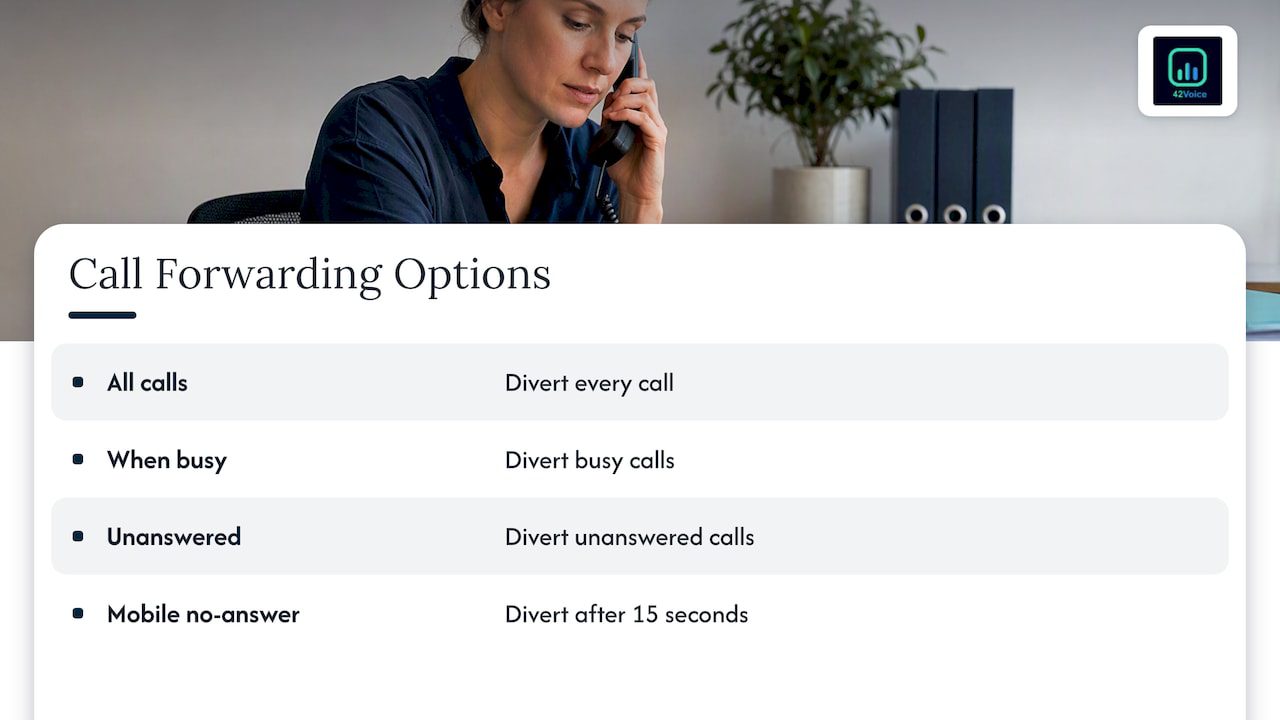
Many small businesses start with forwarding from a mobile or landline to another number. That is fine, but the type of forwarding matters. Telstra explains the options for its home phone service: you can divert all calls, calls when busy, or calls when unanswered. On mobiles, Telstra says Call Forward No Answer sends the call on if you don’t answer within 15 seconds.
That 15 seconds matters. A tradie on a ladder doesn’t pick up, the caller waits through the rings, and plenty of people hang up before the divert happens. If you can shorten the delay with your provider, do it. If you can’t, forward the line to a system that answers immediately, so the ring time is your system’s, not your mobile’s.
Check the exact codes and conditions with your own carrier. They differ between services and plans.
What caller ID routing can’t do
We’d rather you hear the limits from us than discover them on a busy Monday.
- It identifies a number, not a person. A shared office line, a family mobile or a customer ringing from a colleague’s phone will match the wrong record.
- It can’t see withheld numbers reliably. Some callers will arrive as “unknown” or “private”. Your rules need a sensible default for them.
- Numbers can be faked. The ACMA warns that the number shown on a call may not be the caller’s actual number. If a rule unlocks something sensitive, such as account details or payment changes, the number alone is not enough. Verify the person on the call.
- It can’t judge the call. A VIP who rings upset needs a person with authority. A routing rule can’t tell the difference between a routine question and a complaint.
So use caller ID to decide where a call starts, never to decide who someone is.
Privacy and compliance basics
This is general information, not legal advice. Check your own obligations with the OAIC, the ACMA or a legal adviser.
Your customer list is personal information
A list of VIP numbers linked to names is customer data. The OAIC explains that for sole traders the line between the person and the business is thin, so business details can be personal information about the individual. Treat your routing lists with care even if you’re a small operator: store them securely, keep them current and only collect what you need.
Tell people when calls are recorded
If you record or monitor calls, say so at the start. The OAIC’s guidance for health service providers states that you must inform the patient at the beginning of the call if it is recorded or monitored. The same habit is wise for any industry. If your agent is an AI, disclose that too. For a wider look at how recording rules shape business calls, see these call recording rules for brokers, which also touch on identifying the calling business.
Outbound calls need extra care
If your routing also covers outbound sales or collections calls, a few rules apply:
- The ACMA says you can’t add a business number to the Do Not Call Register, only home and personal mobile numbers. That doesn’t mean business numbers are free for any call. Check the rules for your type of call.
- Telemarketing calling hours are limited. An ACMA investigation report summarises the standard: no telemarketing on Sundays or specified national public holidays, and set weekday and Saturday windows.
- Show a number people can call back. The ACMA advises that customers who are unsure about a call should hang up and ring the organisation back on a number from its official website or bill. Make sure your outbound number answers, and that it reaches a person or your agent.
If you display a different number from the one a call leaves from, the ACMA says this practice is not automatically unlawful, but it looks the same as spoofing to scam filters. Set it up openly through your telco.
Our view: route by number, but finish with a person
We build AI voice agents at 42Voice, and we have a clear position on routing. Use caller ID to get each call to the right starting point quickly. Use an AI agent for the repetitive, high-volume calls: bookings, opening hours, status checks, after-hours messages. Then let people handle the moments that matter: the upset customer, the tricky quote, the closing conversation.
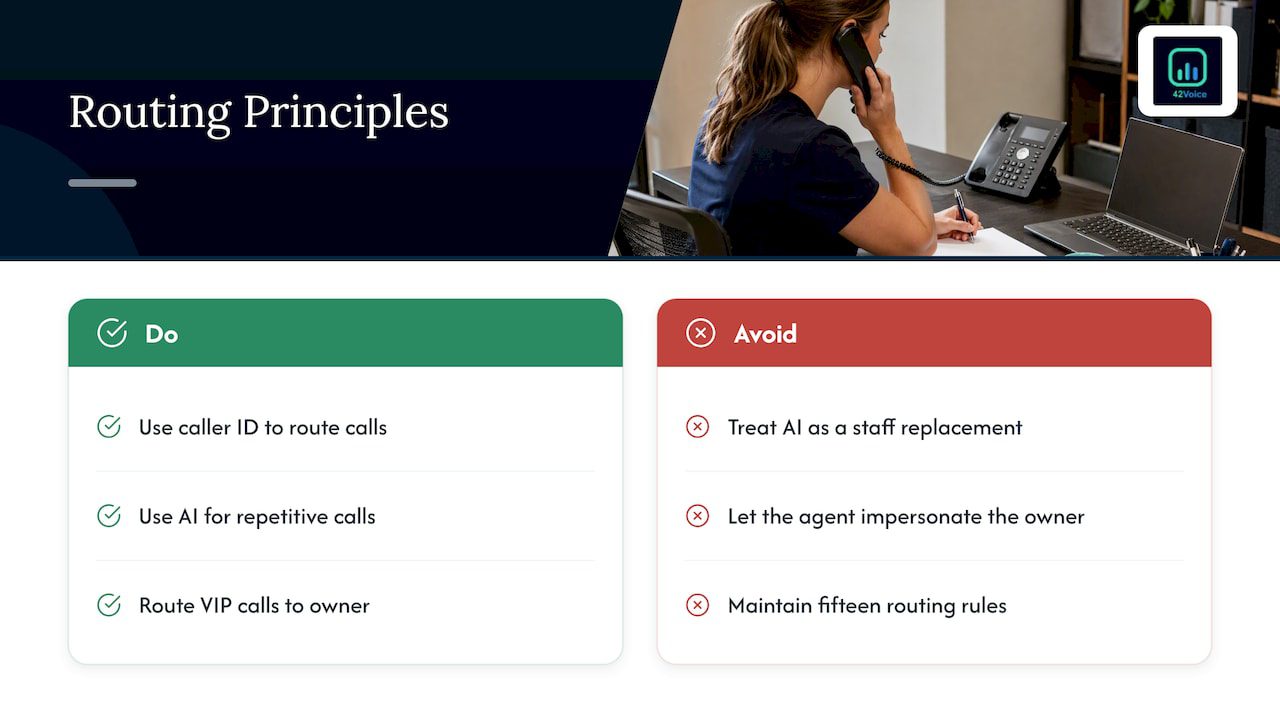
We don’t see AI as a replacement for your staff. A VIP route is a good example. The owner wants that call, so it should go to the owner. If the owner is unavailable, the agent doesn’t pretend to be them. It takes a proper message, flags it as priority and alerts the right person. That is the kind of smooth human handoff we build in, backed by human-in-the-loop quality review so we catch what the agent gets wrong.
We also think most small businesses over-engineer routing. Three rules done well beat fifteen rules nobody maintains. Start with VIPs, open accounts and an after-hours path. Add more only when you see a real gap in your call log.
— Alston
Where an AI voice agent fits in your routing
Caller ID routing answers the question “who is calling?”. The agent handles “what do they need?”. Together they cover a lot of ground:
- Unknown number, in hours, all staff busy: the agent answers, asks what the caller needs and books straight into your calendar, or passes the call on if it’s urgent.
- Known customer, after hours: the agent can greet them by context from your CRM, take the request and queue a callback for first thing.
- Recognised VIP: the call rings through to the owner first. If there’s no answer, the agent takes a priority message instead of letting it ring out.
- Frequent job-site calls for trades: the agent catches the calls you miss while you work, so quotes and bookings don’t go to the next business in the search results.
If missed calls are your main problem, our guide on how to increase call answer rates with human handoff shows the thinking in more detail. For after-hours cover specifically, see our after-hours AI call answering page. If you want a practical rollout plan, read our small business phone automation guide.
A simple setup plan for this week
- Pull a month of call history. Note who rings, when, and which calls got missed.
- List your top 10 to 20 priority numbers. Include VIP clients, key suppliers and referrers.
- Decide who takes each group. Name a first choice and a backup.
- Write your default path. Decide what happens to unknown and withheld numbers, in hours and after hours.
- Check your forwarding settings. Confirm the ring delay and what happens when you’re busy or don’t answer.
- Add your disclosures. Cover recording and AI use at the start of the call.
- Test it. Ring from a listed number, an unlisted number and a withheld number. Fix what breaks.
- Review after two weeks. Look at abandoned calls and misrouted calls, then adjust.
Work with 42Voice
Our AI Receptionist answers every call, books into your calendar, connects with your CRM and hands complex calls to your team. We go live in 3 to 5 days, with no lock-in contracts. Pricing is tailored to your business, and you can see the Starter, Growth and Scale plans on our pricing page.
FAQ
Can I route calls by caller ID if the caller hides their number?
Sometimes, but don’t count on it. Callers can block their number, and the ACMA notes that blocking doesn’t always prevent identification on certain automated business systems. Build a default rule for withheld and unknown numbers so those calls still get answered.
What is the difference between caller ID routing and VIP call routing?
Caller ID routing is the method: it reads the calling number and applies a rule. VIP call routing is one use of it, where listed high-value numbers go to a chosen person or team. You can use the same method for account owners, after-hours paths and suppression lists.
Is caller ID reliable enough to verify a customer’s identity?
No. Numbers can be shared, forwarded or faked, and the ACMA warns that the displayed number may not be the real one. Use caller ID to choose where a call starts, then verify the person with other details before sharing account information or changing payment details.
Do I need a new phone system to do this?
Not always. Many business phone systems and carriers support number-based rules, and a voice agent can sit in front of your existing line through forwarding. Ask your provider what your line supports, then check the forwarding delay so callers aren’t left ringing.
Sources
- Make your phone number more private, ACMA
- Caller ID scams, ACMA
- Do Not Call Register, ACMA
- Say no to telemarketers, ACMA
- Telemarketing investigation final report, ACMA
- Chapter 2: Collecting health information, OAIC
- What is personal information, OAIC
- Forward calls to another number, Telstra
- How do I forward calls on my mobile, Telstra
Ready to see it on your own calls? Book a free 15-minute demo and we’ll show you how routing, your AI agent and your team work together.
Recommended
- Intelligent Call Routing for SMBs: Pilot & ROI Guide
- Live Within Days to Automate Phone Calls for Australian SMEs
- Stop Missed Calls in 3–5 Days: Overflow Call Handling for SMBs
- Increase Call Answer Rates: AI With Human Handoff for Small Businesses
This article is general information about AI voice technology and isn’t legal or compliance advice. Requirements for call recording, AI disclosure and outbound calling vary by state and use case.