
The right fit for most small businesses is AI-enabled VoIP automation: an auto-attendant that routes calls, an AI voice agent that handles routine conversations, and CRM integration that logs everything automatically. This combination costs less than hiring a receptionist, answers calls at 2 a.m. as easily as 2 p.m., and gives you measurable insights like call recovery and answer time instead of guesswork.
Here’s why this works for most small businesses, not just enterprise call centers: a receptionist who never sleeps costs a fraction of a salaried hire, and the FCC’s own guidance on unwanted robocalls recommends that legitimate businesses ensure their calling and answering practices meet basic mitigation standards. Getting that right from day one saves you a compliance headache later.
If you’re ready to move, here’s where to start:
- Audit last month’s call logs for missed calls, hold times, and after-hours volume.
- Pick one pilot use case: appointment booking, lead intake, or after-hours FAQs.
- Book a demo with a vendor like 42Voice that shows a live call flow, not just slides.
- Plan for a 3 to 5 day configuration window before your first live test.
Quick fact: 42Voice’s own integration data shows most small business pilots go from signed contract to live CRM-connected voice agent in a 3 to 5 day window, which is fast enough to test before committing to a full rollout.
Table of Contents
- Why Small Businesses Should Automate Phone Handling
- What Features Actually Matter in a Phone Automation System
- VoIP Auto-Attendant, Virtual Receptionist, or AI Voice Agent: Which Fits Your Business?
- How Do You Choose the Right Phone Automation Vendor?
- What Does Phone Automation Cost for a Small Business?
- How Fast Can You Actually Roll This Out?
- Where Phone Automation Delivers the Most Value
- Security, Uptime, and Number Porting Basics
- What Should You Measure During and After Launch?
- What Vendors Learn From Real Small Business Deployments
- Get Your Small Business Talking to Every Caller, Every Time
- Where to Learn More About Phone Automation and Compliance
- Sources
- FAQ
Why Small Businesses Should Automate Phone Handling
Every unanswered call is a lead that just called your competitor. That’s the blunt math behind small business phone automation, and it’s why owners who resist automation for years often flip once they see their own missed-call numbers in writing.
The core benefits stack up fast:
- Missed-call recovery: automated systems catch calls during lunch rushes, job sites, and closing hours that a single-person front desk simply can’t.
- 24/7 answering: customers calling at night or on weekends get a real interaction instead of a dead ring or a full voicemail box.
- Faster lead qualification: an AI voice agent can ask qualifying questions immediately, instead of a callback three hours later when the prospect has moved on.
- Lower staffing cost: you stop paying for a phone line to sit idle between calls.
- Improved booking accuracy: calendar-integrated systems check real availability instead of a staffer guessing from memory.
Each benefit maps to something you can actually measure. Shorter answer time tends to lift conversion, because callers who reach a real interaction, human or AI, are far less likely to hang up and dial a competitor. Fewer dropped calls means fewer angry follow-up emails. Faster qualification means your sales team spends time on prospects worth calling back.
Reliability matters here too. Any system you adopt should follow FCC guidance on robocall mitigation, both because it’s the compliant thing to do and because caller ID reputation directly affects whether your outbound calls even get answered. A phone system that gets flagged as spam defeats its own purpose.
What Features Actually Matter in a Phone Automation System
Not every feature on a vendor’s glossy feature list matters to a ten-person business. Some are essential. Others are padding designed to justify a higher tier.
Here’s the checklist worth holding vendors to:
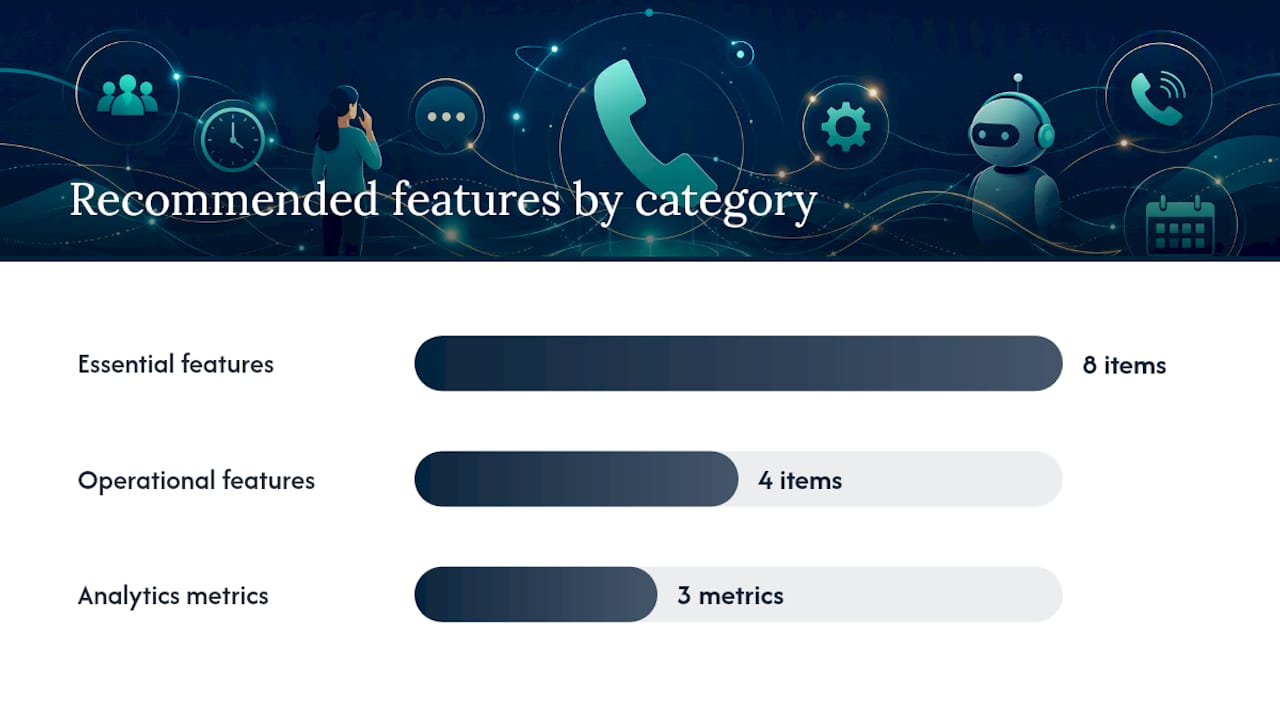
- Auto-attendant / IVR that greets callers and routes them without a live person picking up first.
- Call routing by time of day, sequential or simultaneous ring, and skill-based routing for teams with specialists.
- Voicemail to email or text so nothing sits unheard in a box nobody checks.
- Call queuing for busy periods instead of a fast busy signal.
- Call recordings and transcripts for training, quality checks, and dispute resolution.
- AI voice agent capability that can hold a real conversation, not just play a menu.
- CRM and calendar integration so every call updates the same system your team already uses.
- Number porting so you keep your existing business number through the switch.
On the operational side, look for an admin dashboard you can actually use without a manual, mobile apps for owners who run the business from a truck or a storefront, multi-language support if your customer base needs it, and SLA or uptime reporting that tells you when something breaks before a customer does.
Analytics tie it together. You want visibility into answer times, missed-call recovery rate, and booking accuracy, because those three numbers tell you whether the system is actually working or just running.
Pro Tip: Keep your auto-attendant menu to three to five options, put your most common request first, and always include a way to reach a human. Callers abandon menus that feel like a maze, and a well-designed auto-attendant with a clear fallback keeps frustration low even when automation handles the first response.
VoIP Auto-Attendant, Virtual Receptionist, or AI Voice Agent: Which Fits Your Business?
The right approach depends almost entirely on call volume and complexity, not on how much you’re willing to spend. A solo contractor and a ten-location retail chain have nothing in common here.
A low-volume solo operator (a handful of calls a day) usually does fine with a basic auto-attendant plus voicemail-to-text. An appointment-driven small business, a salon, a clinic, a home services company, needs calendar-integrated booking, which points toward either a virtual receptionist service or an AI voice agent. A mid-volume, lead-qualification-heavy business (real estate, B2B sales, insurance) benefits most from an AI agent that can ask qualifying questions and hand off hot leads immediately.
Weighing the three approaches:
- VoIP + auto-attendant: cheapest and fastest to set up, but limited to menu logic, not conversation. No human fallback unless you staff one.
- Virtual receptionist (human): strong accuracy and a personal touch, but costs scale with call volume and coverage hours are usually limited.
- AI voice agent: handles unlimited concurrent calls 24/7, holds a real conversation, and integrates with CRMs, but usage-based pricing on minutes needs monitoring so costs stay predictable.
| Business scenario | Recommended approach | Why |
|---|---|---|
| Appointment booking (salons, clinics) | AI voice agent with calendar integration | Checks live availability and confirms bookings without a staffer on the line |
| Lead qualification (home services, B2B) | AI voice agent with CRM handoff | Captures details and routes hot leads instantly, even outside business hours |
| After-hours support (retail, hospitality) | Auto-attendant + AI agent overflow | Handles FAQs and holds the line until a human is available in the morning |
Most small businesses land on a mix: an auto-attendant for basic routing, an AI voice agent for routine conversations and bookings, and a human overflow line for anything that gets genuinely complicated. That blend avoids over-engineering a solution for a business that gets thirty calls a day, and it avoids under-serving one that gets three hundred.
How Do You Choose the Right Phone Automation Vendor?
The single question that matters most: does this system solve your priority use case, connect to the tools you already use, and fit your actual budget? Everything else in a demo is secondary to that.
Work through this checklist before signing anything:
- Define your priority use case. Appointment booking, lead qualification, and after-hours support each demand different configurations.
- Assess technical readiness. Confirm you have reliable internet and compatible devices or apps for staff.
- Check integration depth. Does the system connect to your actual calendar and CRM, or just a generic export?
- Review security and compliance. Ask about call recording consent rules and data retention policies.
- Confirm support and SLA terms. What happens when something breaks at 6 p.m. on a Friday?
- Get pricing in writing. Usage-based components need caps or at least clear per-minute rates.
During any demo, push vendors on specifics instead of accepting a feature list:
- How long does deployment actually take, in days, not “typically”?
- Which CRMs and calendars integrate natively, and which need custom work?
- Can you show a sample call flow end to end, including a fallback to a human?
- What’s the guaranteed uptime, and how is downtime reported?
- How is customer data retained, and for how long?
- Which languages does the voice agent support fluently, not just translate?
- How does number porting work, and how long does it take?
Watch for these red flags, because they predict a bad rollout months before it happens:
- No transparent pricing available without a sales call.
- No CRM or calendar integration beyond a manual CSV export.
- No trial or pilot option before a long-term commitment.
- Weak or absent call analytics and reporting.
- A vendor that won’t show you the actual integration flow before you sign.
What Does Phone Automation Cost for a Small Business?
Budget for two components: a subscription fee per user or per number, and usage-based charges for AI voice minutes. Most small businesses land somewhere between a low monthly base cost and a variable usage charge that scales with call volume.
The typical pricing structure breaks down into:
- Per-user or per-number subscription, often in the range vendors cite around $23 to $100 per month for basic auto-attendant features, depending on the feature tier.
- Per-minute AI usage charges for AI voice agent conversations, which scale with call volume and conversation length.
- Setup or migration fees, sometimes waived for standard configurations but common for custom integrations.
- Optional premium support, priced separately from base service for faster response guarantees.
Here’s how that plays out across three common business profiles:
- A solo operator with light call volume might pay for a single number line plus a modest AI usage allotment, keeping monthly costs low and predictable.
- A 5 to 10 seat appointment-driven business (a clinic or salon) typically needs calendar integration and higher AI minute usage for booking conversations, pushing the budget into a mid-range monthly commitment plus setup costs.
- A 20-seat multi-channel SMB handling inbound support, outbound lead calls, and multilingual traffic needs the highest usage tier and likely a premium support add-on.
Quick fact: the auto-attendant baseline alone runs $23 to $100 monthly in typical vendor pricing before any AI usage minutes are added, which is a useful floor when comparing quotes.
A simple way to estimate your own cost: multiply your average daily call volume by average call length in minutes, then multiply by the vendor’s per-minute AI rate, and add your base subscription. Watch for hidden costs that don’t show up in the headline price: international minutes, transcript storage beyond a standard retention window, and premium CRM integrations that some vendors charge extra to unlock.
How Fast Can You Actually Roll This Out?
That’s not a marketing number, it’s the time it takes to configure a system, connect it to your calendar, and run your first test calls.
The nine-step path from audit to live:
- Audit current call handling to find your missed-call rate and peak volume hours.
- Select one pilot use case rather than trying to automate everything at once.
- Map the call flow on paper before touching any configuration screen.
- Configure the auto-attendant with a short menu and a human fallback option.
- Set up AI agent scripts for your most common, routine conversations.
- Integrate CRM and calendar so bookings and lead data sync automatically.
- Run internal testing with staff calling in from different scenarios.
- Launch a live pilot on a limited number or during limited hours first.
- Iterate and expand to full rollout once the pilot numbers look solid.
Expect days zero through five to cover configuration and internal testing, based on typical rapid deployment windows vendors report for CRM-connected pilots. Weeks two through four are where you run the live pilot, watch the numbers, and fix anything that surfaces, missing CRM fields, an awkward script pause, an unclear handoff rule.
Pro Tip: Don’t skip the fallback routing step. The most common rollout mistake is launching an AI agent with no clear rule for when to transfer to a human, which leaves frustrated callers stuck in a loop.
Where Phone Automation Delivers the Most Value
Three use cases account for most of the value small businesses get from phone automation: appointment booking, lead qualification, and after-hours support.

Appointment booking fits salons, healthcare practices, and any business running on a calendar. The call flow checks live availability, confirms a slot, and sends a text or email confirmation. Enable calendar sync and automated reminders here, since confirmation workflows measurably cut no-show rates. Expect booking accuracy and reduced no-shows as your core KPIs.
Lead qualification suits home services and B2B companies where speed to first contact decides whether a lead converts. The agent asks a handful of qualifying questions, then hands hot leads to a sales rep in real time through CRM-connected outbound workflows. The KPI here is response time and lead-to-appointment conversion.
After-hours support works for hospitality and retail businesses fielding the same handful of questions, hours, location, return policy, over and over outside business hours. An AI agent handles the FAQ volume and only escalates genuinely unusual requests.
A common pattern in small business deployments: a business converts its after-hours voicemail into a live AI conversation and recovers a meaningful share of calls that previously went unanswered entirely. The exact recovery rate varies by industry and call volume, but the direction is consistent, calls that used to disappear into voicemail start turning into booked appointments or answered questions.
If your customer base includes non-English speakers, multilingual support isn’t a nice extra, it’s often the difference between capturing a customer and losing them at hello. Booking accuracy also deserves its own callout: a calendar integration that double-books or misreads availability erodes trust faster than a slow answer time ever will.
Security, Uptime, and Number Porting Basics
Before switching providers, confirm the vendor meets basic telephony reliability standards and follows FCC anti-robocall guidance, and that they offer straightforward number porting with a documented SLA.
Run through this compliance and security checklist:
- Robocall mitigation: confirm the vendor participates in industry mitigation practices, not just claims compliance.
- Call recording consent: know your local rules on notifying callers, and confirm the system supports the notice you need.
- Data retention policies: ask exactly how long call recordings and transcripts are stored, and whether you control deletion.
- Encryption and access controls: confirm call data is encrypted in transit and that admin access is role-based, not shared logins.
On uptime, ask for the vendor’s actual SLA number in writing, not a verbal promise, and ask how failover works if their system goes down. A reasonable test: request a demo of call forwarding to a backup number during a simulated outage, and confirm emergency calling still routes correctly under that scenario.
Quick fact: the FCC’s robocall mitigation guidance exists precisely because unmitigated systems get flagged as spam, which can silently tank your outbound answer rates even when nothing else is wrong.
For number porting, ask your vendor for a written timeline and confirm your current provider allows a port-out without early termination penalties. Most ports complete within one to two weeks when both providers cooperate.
What Should You Measure During and After Launch?
Five KPIs matter more than the rest: missed-call recovery rate, average answer time, booking conversion accuracy, call containment rate (the share handled entirely by automation), and customer satisfaction.
Track these in order of priority:
- Missed-call recovery rate first, since it’s the clearest before/after signal of whether automation is working.
- Average answer time, reviewed weekly during the pilot and monthly after launch.
- Booking conversion accuracy, especially for appointment-driven businesses using calendar integrations.
- Call containment rate, which shows how much volume automation handles without human escalation.
- Customer satisfaction, gathered through a short post-call survey or transcript sentiment review.
Run your pilot for two to four weeks with clear checkpoints at the one-week and full-completion marks. Set a modest target, recovering a meaningful share of previously missed calls is a realistic early goal, and adjust scripts based on what call transcripts and tags actually reveal about where callers get stuck or confused.
What Vendors Learn From Real Small Business Deployments
The top three lessons from watching these rollouts play out: start small, measure fast, and never remove the human fallback entirely.
Businesses that pilot one use case, usually appointment booking or after-hours FAQs, before automating everything succeed more often than those that try a full rollout on day one. Staff preparation matters more than the technology itself. Front-desk teams need a short script for handing off complex calls, and owners need realistic expectations about what an AI agent should and shouldn’t handle in week one.
Script design determines accuracy more than any other configuration choice. Silence handling, knowing when a caller has paused to think versus hung up, and clear fallback thresholds, deciding at what point the system should transfer to a human, are the two settings that separate a smooth pilot from a frustrating one. Getting both right usually takes one or two rounds of adjustment based on real call transcripts, not guesswork.
Get Your Small Business Talking to Every Caller, Every Time
42Voice gets a small business from signed contract to a live, CRM-connected AI voice agent faster than most teams can finish onboarding a new hire, typically within a 3 to 5 day deployment window. That speed matters when every day of missed calls is lost revenue.

The platform maps directly to the buyer checklist covered above:
- Inbound AI voice agent that handles routine calls and questions around the clock.
- Appointment booking with live calendar sync and automated reminder workflows to cut no-shows.
- CRM integration that logs every call and lead automatically, no manual entry.
- Multilingual support across nine or more languages for businesses serving diverse customers.
- Real-time analytics tracking answer time, containment rate, and booking accuracy from day one.
If you’ve been putting off automating your phones because it sounds complicated, start with a single use case, appointment booking or after-hours support, and run it as a short pilot before committing to anything larger. Book a demo, walk through a real call flow, and see the solutions built for businesses your size. Check current pricing and get a straight answer on what a pilot would cost for your call volume.
Where to Learn More About Phone Automation and Compliance
A few resources worth bookmarking as you evaluate vendors and finalize your rollout plan:
- Auto-attendant setup guidance: practical detail on menu design, pricing ranges, and the human-fallback best practices referenced throughout this guide.
Sources
- Stop Unwanted Robocalls and Texts | Federal Communications Commission
FAQ
How much does an automated phone system cost for a small business?
Most small businesses pay a monthly subscription per user or number, often in the $23 to $100 range for basic auto-attendant service, plus usage-based charges if an AI voice agent handles conversations. Total cost depends heavily on call volume and how many features you enable.
What is the best phone system for a small business that needs an auto-attendant?
The best fit combines a straightforward auto-attendant with a short menu (three to five options) and a clear human fallback, paired with an AI voice agent for after-hours or overflow calls. Look for one that integrates directly with your calendar and CRM rather than operating as a standalone tool.
What is the best call management solution for a small business call center?
For most small businesses, the strongest setup isn’t a traditional call center platform but an AI-enabled voice system like 42Voice that handles routing, booking, and lead qualification without requiring a dedicated call center team.
Is VoIP worth it for small businesses?
Yes, for most small businesses VoIP costs less than traditional phone lines and adds features like mobile apps, call routing, and voicemail-to-text that landlines can’t match. The added value grows further once you layer AI voice automation on top of the VoIP connection.
How long does it take to set up phone automation for a small business?
A working pilot typically takes 3 to 5 days when using cloud VoIP with CRM integration, based on typical onboarding timelines for AI-enabled systems. Full rollout usually follows a 2 to 4 week live test period after the initial pilot.