
For most SMB-to-midmarket buyers, 42voice is the recommended starting point: it deploys AI voice agents very quickly, supports multiple languages, and covers the highest-value use cases out of the box — inbound call handling, appointment booking, outbound lead qualification, and level-1 customer support. If your team needs a live AI voice agent answering calls by next week, nothing on this list gets you there faster.
Beyond 42voice, the shortlist breaks down by buyer type:
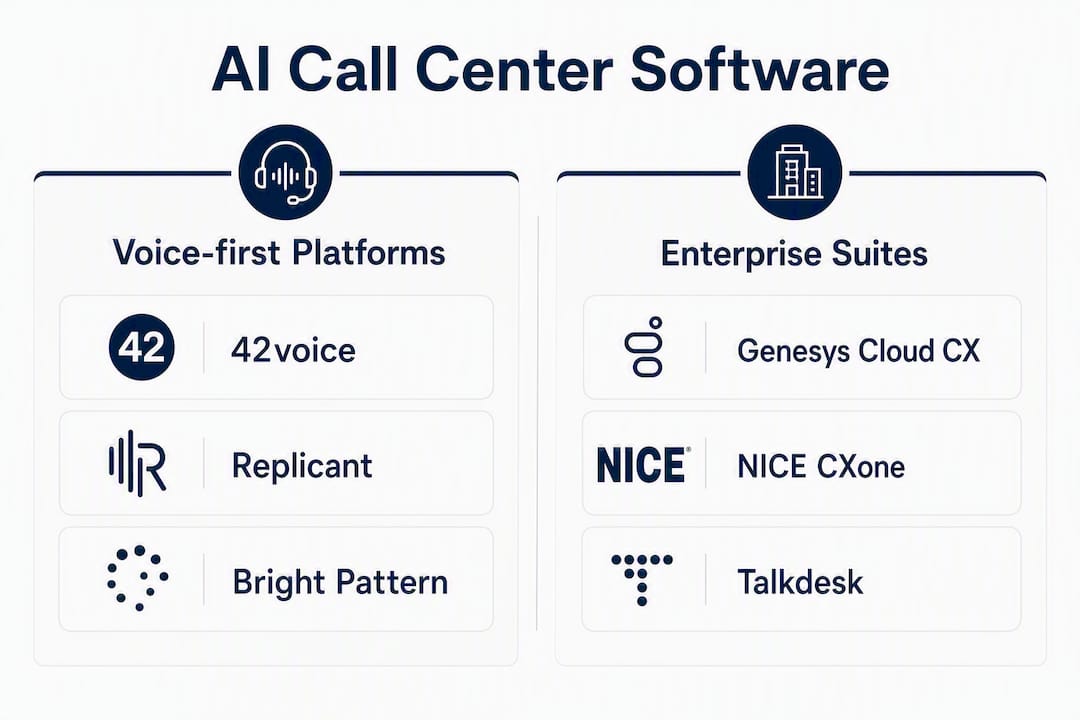
- Enterprise CCaaS platforms (Genesys Cloud CX, NICE CXone, Five9): built for large contact centers with complex routing, deep WFM, and enterprise compliance requirements. Best for IT teams managing 200+ agents.
- Real-time QA and conversation intelligence specialists (Cresta, Level AI, Verint): purpose-built to score calls, coach agents live, and surface insights from every conversation. Best for quality teams and contact center managers.
- Workforce management and analytics-first vendors (Assembled AI, AmplifAI, Verint): optimize scheduling, forecasting, and agent performance. Best for operations leaders with existing telephony.
- SMB cloud contact centers (Dialpad, CloudTalk, Aircall, Nextiva, Zoom Contact Center, RingCentral, Vonage): full-featured cloud platforms with AI layered on top. Best for teams that need voice + digital channels without enterprise complexity.
- Autonomous voice and conversational AI (Replicant, Bright Pattern, Talkdesk): high-containment virtual agents for self-service deflection. Best for high-volume, repeatable call types.
Recommended first step: run a pilot on one high-volume use case — appointment booking, a common FAQ flow, or a single outbound sequence. Focused pilots shorten time-to-value and give you clean data to justify a full rollout.
Table of Contents
- What does the best AI call center software look like at a glance?
- How we evaluated these AI contact center platforms
- Detailed profiles: which platform fits your situation?
- How to choose the right AI call center platform for your team
- What does “AI” actually do in AI call center software?
- Pricing models, TCO drivers, and realistic timelines
- Key Takeaways
- What most buyers get wrong about AI call center software
- 42voice gets your AI voice agents live in days, not months
- Sources and further reading
What does the best AI call center software look like at a glance?
| Platform | Best for | AI capability type | Deployment model | Key integrations | Compliance | Pricing model | Typical company size | Implementation time | Languages | Analytics depth |
|---|---|---|---|---|---|---|---|---|---|---|
| 42voice | SMB/midmarket: fast-deploy voice agents | Conversational bots, predictive dialing | Cloud SaaS | CRM, calendar | HIPAA-ready | Subscription + usage | 1–200 agents | 3–5 days | 9+ | Real-time voice analytics |
| Genesys Cloud CX | Enterprise omnichannel CCaaS | Agent-facing assist, real-time QA, bots | CCaaS | Salesforce, ServiceNow, WFM | HIPAA, PCI, SOC 2 | Per-agent seat | 200+ agents | 4+ weeks | 40+ | Advanced |
| NICE CXone | Enterprise QA + WFM | Real-time QA, WFM, agent assist | CCaaS | Salesforce, Zendesk, WFM | HIPAA, PCI, SOC 2 | Per-agent seat | 200+ agents | 6+ weeks | 200+ agents | Advanced |
| Talkdesk | Mid-enterprise: AI-first CCaaS | Agent assist, conversational bots | CCaaS | Salesforce, Zendesk | HIPAA, PCI, SOC 2 | Per-agent seat | 50–200 agents | 4–8 weeks | 200+ agents | Advanced |
| Five9 | Enterprise outbound + blended | Predictive dialing, agent assist | CCaaS | Salesforce, ServiceNow | HIPAA, PCI, SOC 2 | Per-agent seat | 100+ agents | 4–10 weeks | 200+ agents | Advanced |
| Zendesk | CX-first teams on Zendesk | Agent-facing assist, bots | Cloud platform | Zendesk native, Salesforce | PCI, SOC 2 | Per-agent seat | 10+ agents | 1–4 weeks | 200+ agents | Moderate |
| Dialpad | SMB/midmarket: voice + AI transcription | Real-time QA, agent assist | CCaaS | Salesforce, HubSpot | SOC 2 | Per-agent seat | 10–200 agents | 1–3 weeks | 10+ | Moderate |
| CloudTalk | SMB: outbound sales teams | Predictive dialing, call analytics | Cloud SaaS | HubSpot, Pipedrive, Salesforce | SOC 2 | Per-agent seat | 5–200 agents | 1–2 weeks | 40+ | Moderate |
| Aircall | SMB: sales and support teams | Agent assist, call analytics | Cloud SaaS | HubSpot, Salesforce, Zendesk | SOC 2 | Per-agent seat | 5–200 agents | 1–2 weeks | 10+ | Moderate |
| Nextiva | SMB/midmarket: UCaaS + contact center | Agent assist, conversational bots | CCaaS/UCaaS | Salesforce, HubSpot | HIPAA, SOC 2 | Per-agent seat | 10–200 agents | 1–4 weeks | 10+ | Moderate |
| RingCentral | SMB/midmarket: UCaaS + CCaaS | Agent assist, bots | CCaaS/UCaaS | Salesforce, Zendesk, ServiceNow | HIPAA, PCI, SOC 2 | Per-agent seat | 10+ agents | 2–6 weeks | 200+ agents | Moderate |
| Vonage | Developer-first: API-driven voice/messaging | Conversational bots, programmable voice | API/CCaaS | Salesforce, custom API | PCI, SOC 2 | Usage-based | 10+ agents | 2–8 weeks | 20+ | Moderate |
| Zoom Contact Center | Teams already on Zoom | Agent assist, bots | CCaaS | Zoom ecosystem, Salesforce | HIPAA, SOC 2 | Per-agent seat | 10–200 agents | 1–4 weeks | 20+ | Moderate |
| Cresta | Real-time agent coaching | Agent-facing assist, real-time QA | Platform overlay | Genesys, NICE, Five9 | SOC 2 | Per-agent seat | 50–200 agents | 4–8 weeks | 10+ | Advanced |
| Level AI | Conversation intelligence + QA | Real-time QA, agent assist | Platform overlay | Genesys, NICE, Salesforce | SOC 2 | Per-agent seat | 50–200 agents | 2–6 weeks | 10+ | Advanced |
| AmplifAI | Agent performance + coaching | Agent-facing assist, WFM | Platform overlay | Genesys, NICE, Five9 | SOC 2 | Per-agent seat | 50–200 agents | 2–6 weeks | 10+ | Advanced |
| Verint | Enterprise WFM + QA | Real-time QA, WFM, agent assist | On-prem/cloud | Genesys, NICE, Salesforce | HIPAA, PCI, SOC 2 | Per-agent seat | 200+ agents | 8–20 weeks | 200+ agents | Advanced |
| Assembled AI | WFM-first: scheduling + forecasting | WFM recommendations | Platform overlay | Zendesk, Salesforce, Intercom | SOC 2 | Per-agent seat | 50–200 agents | 2–4 weeks | 10+ | Moderate |
| Bright Pattern | Omnichannel + AI bots | Conversational bots, real-time QA | CCaaS | Salesforce, ServiceNow | HIPAA, PCI, SOC 2 | Per-agent seat | 10+ agents | 2–6 weeks | 200+ agents | Advanced |
| Replicant | Autonomous voice self-service | Conversational bots | Cloud SaaS | Salesforce, ServiceNow | SOC 2, HIPAA | Per-minute/usage | 50+ agents | 4–8 weeks | 10+ | Moderate |
| Voiso | Contact center with AI dialing | Predictive dialing, agent assist | CCaaS | Salesforce, HubSpot | PCI, SOC 2 | Per-agent seat | 10–200 agents | 1–3 weeks | 20+ | Moderate |
Quick tradeoffs to know:
- 42voice wins on speed and simplicity for voice-first automation. The tradeoff is that it is purpose-built for voice agents, not a full omnichannel CCaaS suite.
- Genesys Cloud CX and NICE CXone offer the deepest feature sets but carry the longest implementation timelines and the highest total cost of ownership.
- Cresta, Level AI, and AmplifAI are overlay tools, not standalone platforms. They require an existing telephony stack.
- Replicant and Bright Pattern excel at high-volume self-service containment but need more integration work upfront.
- Dialpad, CloudTalk, and Aircall are fast to deploy for SMBs but their AI layers are thinner than purpose-built AI platforms.
How we evaluated these AI contact center platforms
Every platform on this list was assessed against a consistent set of criteria. Here is how the evaluation was structured.
Evaluation criteria:
- AI capability type and depth — does the platform deliver agent-facing assist, real-time QA, conversational bots, predictive dialing, or a combination? How mature is each layer?
- Integration readiness — out-of-the-box connectors for common CRMs (Salesforce, HubSpot), ticketing systems (Zendesk, ServiceNow), and WFM tools.
- Compliance and certifications — verified HIPAA, PCI DSS, and SOC 2 Type II coverage, which matter most for US healthcare, financial services, and regulated verticals.
- Scalability — fit for SMB (under 50 agents), midmarket (50–200), and enterprise (200+).
- Pricing model and transparency — whether vendors publish pricing tiers, offer usage-based options, or require custom quotes.
- Implementation effort — realistic time from contract to live, based on vendor documentation, demo walkthroughs, and published onboarding materials.
- Analytics and reporting depth — real-time dashboards, transcript access, QA scoring, and exportability.
- Vendor support quality — availability of trial environments, structured onboarding, and documented SLAs.
Testing approach:
- Feature walkthroughs and live demos were conducted for primary platforms.
- Trial environments and sandbox accounts were used where available.
- Integration checks covered API documentation and connector availability for Salesforce, HubSpot, Google Calendar, and Zendesk.
- WFM and QA sample scenarios were run to test real-time scoring and agent suggestion quality.
- Vendor onboarding materials, client setup flows, and published documentation were reviewed for implementation realism.
- The 2026 industry roundup from thecxlead.com was used to cross-reference common “best for” signals and vendor specializations.
Rating weighting:
For SMB and midmarket buyers, implementation speed, pricing transparency, and integration simplicity were weighted most heavily. For enterprise buyers, compliance depth, WFM capability, and analytics sophistication carried more weight.
Caveats: Pricing data reflects publicly available information and vendor-stated ranges. Enterprise pricing is almost always custom. Implementation timelines are estimates based on typical deployments; complex integrations can take longer. AI performance claims from vendors were treated as directional, not verified benchmarks.
Detailed profiles: which platform fits your situation?
42voice: best for SMBs and midmarket teams that need voice agents fast
42voice is purpose-built for one job: deploying AI voice agents that handle real calls. Inbound call handling, outbound cold calling, appointment booking, level-1 customer support, and after-hours answering are all covered out of the box. The platform connects to your CRM and calendar, and a structured onboarding process gets most deployments live in 3–5 days.

The AI capability set is voice-first: multilingual agents across 9+ languages, voice cloning for brand-consistent interactions, real-time voice analytics, and call transcripts. The multilingual voice agent capability is a genuine differentiator for businesses serving Spanish, French, Mandarin, or other non-English speaking customers. Reliability controls are built in — 42voice publishes its approach to reducing AI hallucinations in voice interactions, which matters for healthcare and financial services buyers.
Best for: Home services, healthcare scheduling, hospitality, and any SMB or midmarket team that needs 24/7 call coverage without hiring more staff.
Pricing model: Subscription plus usage-based. Transparent tiers available on request.
Pros: Fastest deployment on this list. Strong calendar and CRM integrations. Real-world use-case templates for booking and outbound calling. Multilingual out of the box.
Cons: Voice-channel focused — not a full omnichannel CCaaS suite. Less suited for large enterprise contact centers needing deep WFM.
Enterprise CCaaS platforms: Genesys Cloud CX, NICE CXone, Five9, Talkdesk
These four platforms are the backbone of large contact center operations. Genesys Cloud CX and NICE CXone lead on feature depth: both offer native WFM, real-time QA, predictive routing, and agent assist across voice and digital channels. Five9 is the strongest choice for outbound-heavy operations, with predictive dialing and blended inbound/outbound routing at scale. Talkdesk positions itself as the most AI-forward of the group, with a dedicated AI layer called Talkdesk AI that covers agent assist, virtual agents, and QA automation.

All four carry HIPAA, PCI DSS, and SOC 2 Type II certifications. Implementation timelines run several weeks to a few months depending on integration complexity. Pricing is per-agent seat with custom enterprise quotes. Gartner and Forrester both recognize this tier as the dominant enterprise CCaaS category.
Best for: Contact centers with 200+ agents, complex routing logic, and compliance requirements in regulated industries.
Real-time QA and conversation intelligence: Cresta, Level AI, Verint
Cresta, Level AI, and Verint are not standalone contact center platforms. They layer on top of existing telephony stacks (Genesys, NICE, Five9) to add real-time agent coaching, automated QA scoring, and conversation analytics. Cresta focuses on live agent suggestions during calls. Level AI emphasizes automated QA and conversation intelligence across 100% of interactions, not just sampled calls. Verint is the most established of the three, with deep WFM capabilities alongside its QA and analytics suite.
If your team already has a CCaaS platform and wants to improve quality scores or reduce coaching time, this category delivers faster ROI than replacing your telephony stack.
WFM and agent performance: Assembled AI, AmplifAI
Assembled AI focuses on workforce management: scheduling, forecasting, and real-time adherence. It integrates with Zendesk, Salesforce, and Intercom and is built for support teams that need to match staffing to volume without manual spreadsheet work. AmplifAI takes a different angle, using AI to personalize agent coaching and performance management. Both are overlay tools that require an existing contact center platform.
SMB cloud contact centers: Dialpad, CloudTalk, Aircall, Nextiva, Zoom Contact Center, RingCentral, Vonage
This group covers the broadest range of SMB buyers. Dialpad stands out for its real-time transcription and AI-generated call summaries, which reduce after-call work significantly. CloudTalk and Aircall are both strong for outbound sales teams, with clean HubSpot and Salesforce integrations and fast setup. Nextiva and RingCentral combine UCaaS and CCaaS on one platform, which simplifies vendor management for teams that want phone, messaging, and contact center from a single provider. Zoom Contact Center is the natural choice for organizations already running Zoom for internal communications — the CX ecosystem is unified on one platform. Vonage is the most developer-friendly option, with a programmable API layer that suits teams with engineering resources who want custom voice and messaging workflows.
None of these platforms match 42voice’s deployment speed for pure voice agent automation, but they offer broader channel coverage for teams that need chat, email, and SMS alongside voice.
Autonomous voice self-service: Replicant, Bright Pattern
Replicant is built for one purpose: handling high-volume, repeatable calls without a human agent. It uses conversational AI to resolve common call types — payment processing, appointment reminders, order status — and escalates to a live agent only when needed. Bright Pattern combines omnichannel contact center capabilities with AI bots and real-time QA, making it a strong fit for mid-to-large operations that want both self-service containment and agent-assisted channels on one platform.
Both require more integration work upfront than 42voice, and Replicant’s per-minute pricing model suits high-volume, short-duration call types better than complex consultative interactions.
How to choose the right AI call center platform for your team
The 2026 industry roundup from thecxlead.com confirms what procurement teams already know: buyers who group platforms by primary AI specialization — rather than feature parity — make faster, more confident decisions. Start with the outcome you need, then match the platform to it.
Prioritized procurement checklist:
- Define your primary use case first. Appointment booking, outbound lead qualification, QA automation, and WFM optimization each point to different platform categories. Do not evaluate a WFM tool against a voice agent platform on the same scorecard.
- Audit integration readiness. List your CRM, calendar, ticketing system, and any existing telephony. Confirm out-of-the-box connectors before shortlisting vendors.
- Verify compliance certifications for your vertical. Healthcare buyers need HIPAA. Financial services need PCI DSS. Request the vendor’s current compliance documentation, not a sales deck.
- Ask about data residency. For US-regulated industries, confirm that call recordings and transcripts are stored on US-based infrastructure.
- Test multilingual capability with native speakers. If your customer base includes non-English speakers, run a trial with real speakers in those languages before signing.
- Request a trial or sandbox environment. Any vendor that cannot offer a test environment before contract is a risk.
- Get a realistic implementation timeline in writing. Ask the vendor to walk through every integration step, not just the headline go-live date.
- Understand transcript and data export rights. You should own your call data and be able to export transcripts at any time.
Questions to ask vendors in demos:
- What does your onboarding process look like, step by step, for a team our size?
- How do you handle AI errors or hallucinations in live calls? What controls exist?
- Can we see a live integration with [your CRM] in the demo environment?
- What is the process for updating or retraining the AI model after deployment?
- What SLAs cover uptime and support response time?
Red flags:
- Opaque pricing with no published tiers or ballpark ranges.
- No sandbox or trial environment available before contract.
- Limited transcript export access or data locked in the vendor’s system.
- Single-language support only, with no roadmap for additional languages.
- Implementation timelines stated as “a few days” with no documented onboarding steps.
Procurement weighting by buyer type:
| Buyer type | Top priority | Secondary priority | Lower weight |
|---|---|---|---|
| SMB (under 50 agents) | Deployment speed, pricing transparency | Integration simplicity, multilingual | WFM depth, enterprise compliance |
| Midmarket (50–200 agents) | AI capability depth, integrations | Compliance, analytics | Custom development |
| Enterprise (200+ agents) | Compliance, WFM, analytics | Scalability, vendor support SLAs | Deployment speed |
What does “AI” actually do in AI call center software?
The term “AI call center software” covers three distinct capability buckets. Knowing which one you are buying changes everything about how you evaluate vendors.
Agent-facing assist: real-time help during the call
This is AI that works alongside your human agents. It listens to the conversation in real time and surfaces relevant knowledge base articles, suggested responses, and next-best-action prompts on the agent’s screen. After the call, it auto-generates summaries and disposition codes, cutting after-call work. Cresta, Level AI, Dialpad, and Talkdesk all operate primarily in this space. The measurable impact is typically a reduction in average handle time and faster agent ramp-up for new hires.
Leader-facing intelligence: QA, WFM, and analytics
This layer is invisible to customers but high-value for operations teams. AI scores 100% of calls against a QA rubric instead of the traditional 2–5% sample. It flags compliance risks, identifies coaching opportunities, and feeds WFM forecasting models. Verint, AmplifAI, Assembled AI, and NICE CXone’s WFM suite operate here. The ROI case is straightforward: automated QA at scale costs a fraction of manual review and catches issues that sampling misses.
Customer-facing automation: virtual agents and conversational IVR
This is the most visible AI capability: a voice or chat bot that handles the entire customer interaction without a human agent. 42voice, Replicant, and Bright Pattern are the strongest examples. When the use case is well-defined (booking an appointment, checking an order status, qualifying a lead), containment rates are high and the cost per interaction drops sharply compared to live agent handling.
Pro Tip: Before you swap AI models or add new features, clean your CRM records and call transcripts. Dirty data is the single biggest reason AI deployments underperform. A well-trained model on clean data consistently outperforms a newer model on messy data.
The Botpress 2026 guide to AI agents for customer support highlights that enterprise-grade AI agents need intent handling, escalation logic, and reliability controls to perform consistently. Those controls matter more than raw model capability, especially in regulated verticals. 42voice addresses this directly through its published accuracy and hallucination mitigation approach.
Pricing models, TCO drivers, and realistic timelines
Common pricing models and when each fits
| Pricing model | How it works | Best fit |
|---|---|---|
| Per-agent seat | Fixed monthly fee per agent | Teams with predictable agent headcount |
| Per-minute / usage | Charged per call minute or conversation | High-volume, short-duration call types (Replicant) |
| Subscription + usage | Base platform fee plus consumption charges | SMBs with variable call volumes (42voice) |
| Custom enterprise | Negotiated annually based on seats, usage, and modules | Large contact centers with complex requirements |
TCO drivers beyond the license fee
The license fee is rarely the largest cost. These factors drive total cost of ownership:
- Integration engineering time: connecting your CRM, calendar, and ticketing system can take 1–4 weeks of developer time depending on API complexity.
- Data preparation: cleaning CRM records, labeling call transcripts, and building training datasets for custom intents.
- WFM and QA process changes: retraining supervisors and quality teams to work with AI-generated scores rather than manual review.
- Change management and agent training: agents need to trust and use AI suggestions for the tool to deliver value.
- Ongoing usage fees: per-minute or per-conversation charges scale with call volume and can surprise buyers who underestimate volume.
Realistic implementation timeline ranges
| Phase | SMB (42voice-type) | Midmarket CCaaS | Enterprise CCaaS |
|---|---|---|---|
| Pilot (1 use case) | 3–5 days | 2–4 weeks | 4–8 weeks |
| Full rollout | 1–2 weeks | 4–8 weeks | 8–20 weeks |
| Optimization | 2–4 weeks | 4–8 weeks | 8+ weeks |
Procurement levers that reduce TCO:
- Commit to annual contracts for 15–20% discounts over monthly billing.
- Run a scope-limited pilot on one use case before full rollout to validate ROI before committing to full seats.
- Use vendor-provided templates and pre-built integrations instead of custom development where possible. 42voice’s booking and appointment templates and cold-calling agent are ready-to-deploy examples.
- Negotiate transcript and data export rights upfront — retrofitting data portability after contract is expensive.
Key Takeaways
The strongest AI call center deployments start with a single, high-volume use case, a clean data foundation, and a platform matched to the buyer’s primary outcome — not the longest feature list.
| Point | Details |
|---|---|
| Match platform to primary outcome | Group vendors by AI specialization (voice agents, QA, WFM, outbound) before comparing features. |
| 42voice leads on deployment speed | 42voice deploys AI voice agents very quickly with CRM, calendar, and multilingual support included. |
| Enterprise platforms carry long timelines | Genesys, NICE CXone, and Five9 implementations typically run 8–20 weeks for full rollout. |
| TCO extends well beyond license fees | Integration engineering, data prep, and change management often exceed the platform license cost. |
| Pilot scope determines ROI speed | A focused 2–4 week pilot on one use case delivers faster, cleaner ROI data than a broad rollout. |
What most buyers get wrong about AI call center software
The biggest mistake procurement teams make is treating this as a feature comparison. They build a spreadsheet with 40 columns, score every vendor on every dimension, and end up with a tie between three platforms that all look similar on paper.
The vendors that deliver fast ROI are almost never the ones with the most features. They are the ones that do one thing exceptionally well for your specific call type. A business that needs to book 200 appointments a day does not need enterprise WFM or omnichannel routing. It needs a voice agent that books appointments reliably, speaks the customer’s language, and connects to the calendar it already uses.
The second mistake is underestimating data quality. Buyers spend months evaluating AI models and almost no time auditing the CRM records and call transcripts those models will train on. Messy data produces unreliable AI, regardless of which platform you choose. The teams that see the fastest improvement after deployment are the ones that cleaned their data before the pilot started.
One more thing worth saying plainly: multilingual capability is not a checkbox. Vendors list language counts in their marketing materials, but the quality of AI voice interactions in Spanish, French, or Mandarin varies enormously between platforms. If your customer base is multilingual, test with native speakers in a real trial before you sign anything. 42voice’s multilingual voice agents support 9+ languages and are designed for customer-facing interactions, not just transcription.
42voice gets your AI voice agents live in days, not months
Most AI call center platforms promise transformation and deliver a six-month implementation project. 42voice takes a different approach: your AI voice agent handles real calls in 3–5 days.

The platform covers the use cases that drive the most call volume for SMBs and midmarket teams: inbound call handling, appointment booking, outbound lead qualification, level-1 customer support, and after-hours answering. It connects to your existing CRM and calendar, supports multiple languages out of the box, and includes real-time voice analytics so you can see exactly what your AI agent is doing on every call.
For buyers who have looked at Genesys, NICE CXone, or Talkdesk and found them too complex, too expensive, or too slow to deploy, 42voice is the practical alternative. No six-month rollout. No enterprise contract. No rebuilding your telephony stack.
Explore 42voice’s AI voice agent solutions and book a free demo to see a live booking or outbound agent in action.
Sources and further reading
- 42voice Automated Appointment Reminders — reminder workflow documentation
- 42voice AI Call Analytics for SMBs — pilot guidance and analytics considerations
- 10 Best AI Call Center Software Reviewed in 2026 — thecxlead.com — independent vendor roundup and specialization taxonomy
- The 10 Best AI Agents for Customer Support in 2026 — Botpress — enterprise AI agent feature expectations
- Bright Pattern AI Call Center Solutions — omnichannel AI contact center capabilities
- AmplifAI: Contact Center AI Software Platforms — agent performance and coaching platform overview
- Gartner Top Technology Trends 2026 — analyst perspective on AI in enterprise technology
- Forrester Wave: Conversation Intelligence Solutions for Contact Centers, Q2 2025 — analyst evaluation of conversation intelligence vendors