
The best fix for property management call answering right now is 42voice, an AI voice agent built to triage emergencies, book showings, and log every call the moment it comes in, without a hiring cycle or a multi-week rollout. That is the short answer for most portfolios that need dependable 24/7 coverage but do not want the overhead of a full night shift or a call center contract with a year-long lock-in.
Here is what that verdict actually delivers once it is running behind your main line:
- Emergencies get routed correctly. A gas smell or a burst pipe triggers your escalation tree instead of sitting in a voicemail box until Monday.
- Prospects book showings on the spot. Interested renters get a calendar slot confirmed by text, not a callback promise.
- Every call is recorded and transcribed. You get a searchable record for disputes, training, and owner reporting.
Small and mid-size portfolios benefit most, especially teams that need something live in days, not months, and want analytics they can actually read.
Table of Contents
- What Does Property Management Call Answering Actually Cover?
- What Capabilities Should You Require Before Signing?
- How Do You Evaluate and Choose an Answering Solution?
- What Does Onboarding and Setup Actually Involve?
- What Does Property Management Call Answering Cost?
- How Does 42voice Meet These Requirements?
- What Contract Terms Should You Watch For?
- Should You Choose AI or Human-Led Answering?
- Ready to Put Your After-Hours Line to the Test?
- Sources
- FAQ
What Does Property Management Call Answering Actually Cover?
Property management call answering is the umbrella term for outsourced or automated handling of every call that hits a property’s main line, tenant, prospect, vendor, or owner, when your leasing office isn’t staffed to take it. The industry also calls this a property management answering service, and you’ll see it marketed as rental management call center support or leasing office phone service. All three describe the same operational job: someone or something has to pick up, figure out what the caller needs, and act on it correctly.
That job breaks into a few concrete buckets.
-
24/7 coverage across caller types. Tenants report maintenance issues at 11 p.m., prospects call about listings on Sunday afternoons, vendors confirm appointment windows mid-morning, and owners want status updates whenever they think of it. Real coverage means all four groups get a competent answer, not just tenants.
-
Emergency triage with a defined pathway. A flooded unit, a no-heat call in January, a reported gas smell, and a tenant locked out at 2 a.m. are not the same emergency. Each needs its own escalation logic: who gets paged, how fast, and what the caller is told while help is on the way.
-
Lead capture and on-the-spot booking. A prospect calling about a vacancy should get a same-call scheduled showing confirmed by calendar invite, not a “someone will call you back.” Intake should capture move-in date, unit interest, household size, and contact preference before the call ends.
-
Routine request logging and notification. A clogged drain or a broken garbage disposal doesn’t need a 2 a.m. page. It needs a work order created, an SMS confirmation sent to the tenant, and an email routed to the right maintenance queue.
Pro Tip: Ask any provider to walk you through exactly what happens between “gas smell reported” and “technician dispatched.” If they can’t name the specific steps and timing, that gap will show up during your first real emergency.
What Capabilities Should You Require Before Signing?
Feature checklists in this category are mostly noise. Five capabilities separate a system that actually works from one that just sounds good in a sales call.
- Configurable triage logic. The escalation tree needs to be yours, not a generic template. A garden-style complex with exterior access has different lockout protocols than a high-rise with a doorman, and your system should reflect that.
- Bi-directional PM and calendar integration. Integration depth, meaning the ability to create a work order inside your property management platform or book a showing directly into a leasing agent’s calendar, is the single biggest operational multiplier in this category. A system that just takes a message and emails it to you is barely better than an answering machine.
- Call recording, transcription, and searchable logs. When a tenant disputes what they were told, or an owner asks how many maintenance calls came in last month, you need a transcript to pull up, not a recollection.
- Multilingual handling and two-way SMS. Portfolios in diverse markets lose leads when a caller can’t get through in Spanish, Mandarin, or Vietnamese. Two-way text confirmations also cut down on no-shows for showings.
- Access controls on tenant and owner data. Call logs contain names, unit numbers, and sometimes financial details. Ask who inside the vendor’s organization can access that data and how long it’s retained.
Labor costs are the backdrop against which all of this gets evaluated. The Bureau of Labor Statistics tracks occupational wage and staffing data across customer-service roles, and property managers weighing a 24/7 in-house answering desk against an automated or outsourced option are effectively comparing round-the-clock staffing costs to a flat monthly service fee. That math rarely favors adding overnight headcount for call volume that’s unpredictable by nature.
How Do You Evaluate and Choose an Answering Solution?
Run this checklist before you sign anything, and treat vague answers as disqualifying, not just noteworthy.
- Confirm deployment time in writing. Ask for a specific day count, not “quick” or “fast.” Simple call forwarding can go live same-day; deep PM-platform integration takes longer.
- Request a real script sample for a property like yours. Not a generic demo script. One built around your unit types, your maintenance categories, and your actual emergency list.
- Walk through the escalation tree line by line. Who gets the call for a gas leak versus a broken dishwasher? What’s the callback window if the on-call manager doesn’t answer?
- Ask what happens to a booked showing. Does it land directly in your leasing calendar, or does someone on your team still have to manually enter it?
- Get the data export policy in writing. Can you pull call logs and transcripts on demand, and in what format?
Questions that separate serious vendors from ones reciting a script:
- “Show me exactly what your system does when a caller says ‘gas smell.’” A serious vendor demonstrates the flow live. A vague one talks about “customizable protocols” without showing you one.
- “What’s your average time from signed contract to first live call?” Look for a specific number, ideally under two weeks, backed by an example.
- “Can I see a transcript from a real (anonymized) client call?” If they can’t produce one, ask why.
Red flags:
- Escalation logic described only in generalities (“we route it appropriately”)
- No mention of a real property management platform they’ve connected to before
- Pricing that requires a sales call to even estimate
- No trial period or pilot option offered
Pro Tip: Track three numbers for your first 90 days: average answer time, percentage of emergencies routed to the correct on-call contact on the first try, and the percentage of prospect calls that convert to a booked showing. Those three tell you more than any vendor’s marketing page.
What Does Onboarding and Setup Actually Involve?
Getting a system live follows a predictable sequence, and where you land on the timeline depends almost entirely on integration depth.
- Forward your main line. This is the simplest step and can happen the same day you sign.
- Define scripts and triage rules. You’ll work through your specific emergency categories, escalation contacts, and standard tenant requests.
- Connect your systems. API or CSV-based integration with your property management platform and calendar tools, so bookings and work orders flow automatically instead of landing in an inbox someone has to check.
- Run test calls. Simulate a maintenance emergency, a showing request, and a routine complaint before going fully live.
- Finalize routing and go live. Confirm on-call contacts, backup escalation paths, and after-hours rules one more time.
Onboarding timelines in this space typically range from same-day activation for basic call forwarding to one to two weeks when full platform integration and staff training are involved. If a vendor quotes you a month or more for anything short of a large multi-portfolio rollout, ask what’s driving the delay.
Before going live, confirm access controls (who on the vendor’s side can view your data), logging practices, and data retention windows. A short pilot, three days of live calls routed through the new system while your old process runs as backup, gives you a low-risk way to check triage accuracy and booking flow before fully committing.
Pro Tip: Run your pilot during a week you expect real volume, not a quiet one. A slow week tells you nothing about how the system handles a genuine emergency spike.
What Does Property Management Call Answering Cost?
Pricing in this category generally falls into four models: flat monthly fees, per-minute billing, per-call charges, and bundled-minute plans with overage rates. Flat monthly pricing favors buyers with predictable call volume; per-minute or per-call models can work better for smaller portfolios with lighter, sporadic traffic, but they punish you hard during a busy month.
Watch for costs that don’t show up on the headline price:
- Dispatch or escalation fees charged per emergency routed
- Premium rates for after-hours or holiday calls
- One-time integration or setup fees separate from the monthly rate
- Charges for pulling historical call logs or transcripts
To estimate return, weigh the service’s cost against three recovered values: leasing leads that would have gone to voicemail and been lost, emergency repairs avoided or minimized because a plumber got dispatched at midnight instead of 9 a.m., and staff hours no longer spent fielding routine calls after hours. Negotiate a trial period before signing anything longer than month-to-month, and get usage thresholds and cancellation terms in writing rather than taking a sales rep’s verbal assurance.
How Does 42voice Meet These Requirements?
42voice was built around the exact operational checklist most property teams already run through when evaluating vendors, rather than retrofitting a generic call center product for this use case.
- AI voice agents handle inbound calls, appointment booking, lead qualification, and multilingual conversations, so a prospect calling about a vacancy in Spanish gets the same booking experience as one calling in English. The after-hours agent solution is built specifically around this coverage gap.
- Calendar and CRM integrations connect directly, meaning a booked showing lands in your leasing calendar without a manual re-entry step, with typical deployment inside three to five days.
- Voice analytics, call recording, and transcription give you the searchable record and reporting dashboard needed to measure answer accuracy and refine scripts over time, detailed on the voice analytics page.
A short pilot is the fastest way to see this in practice: route your after-hours line through 42voice for a set stretch, keep your existing process as backup, and compare answer time, triage accuracy, and booking conversion against your baseline before deciding to switch fully.
What Contract Terms Should You Watch For?
Contract structure matters as much as the feature list, and it’s the part buyers skim past most often. Minimum commitment length is the first thing to pin down. Some providers lock you into annual terms with early-termination penalties; others operate month-to-month with the option to scale usage up or down as your portfolio changes. For a service tied to something as operationally critical as emergency call handling, month-to-month or short-term commitments give you room to switch if performance doesn’t hold up.
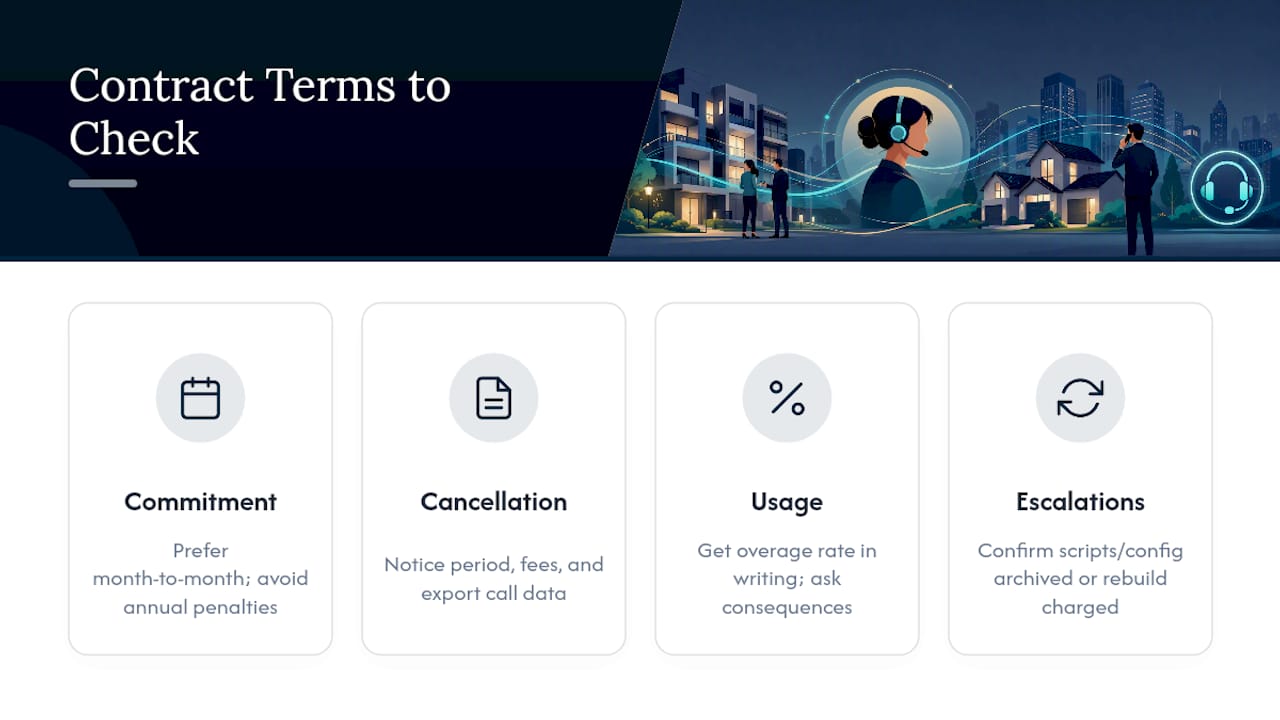
Cancellation policy deserves the same scrutiny. Ask exactly how much notice is required, whether you owe anything for the remaining contract term, and whether your call data and transcripts are exportable after you leave. A vendor that makes it hard to get your own call history out the door after cancellation is a signal worth taking seriously before you sign, not after.
Usage thresholds are another common trap. Bundled-minute plans often include overage rates that aren’t obvious until your first busy month, particularly during a leasing season spike or an unusually rough winter with heat-related emergency calls. Get the overage rate in writing, not verbally quoted, and ask what happens if you exceed your plan two months in a row.
Finally, confirm what happens to escalation rules and scripts if you pause service temporarily, say, between leasing seasons. Some providers archive your configuration for free reactivation; others charge to rebuild it.
Should You Choose AI or Human-Led Answering?
AI-driven answering is the right first choice when your call patterns are predictable: routine maintenance requests, standard leasing inquiries, and emergency categories you can define in advance. It also wins on deployment speed and the analytics you get back, both things human call centers struggle to match at the same price point.

Human agents earn their place on genuinely complex calls, lease disputes involving legal nuance, or portfolios with wildly inconsistent property rules across buildings, where judgment matters more than speed.
The strongest setup for most teams is hybrid: automated triage catches everything routine and routes true edge cases to a human. Small teams should start with automation and add human backup only where gaps show up. Larger portfolios do better piloting on one property before scaling portfolio-wide.
Ready to Put Your After-Hours Line to the Test?
Most property teams weighing this decision are really choosing between three unappealing options: hiring overnight staff, signing a long-term contract with a traditional call center, or letting calls go to voicemail after 6 p.m. 42voice skips all three. You get an AI voice agent live in three to five days, handling emergency triage, booking showings, and logging every call, without a year-long commitment or a hiring cycle.

The fastest way to see it work is a short pilot: route your after-hours line through the after-hours agent solution, keep your current process running as backup, and compare answer time and booking conversion after a week. If showings and calendar sync matter most to your leasing team, the booking and appointment integration handles that piece directly. Check current pricing and book a demo to see your own scripts running before you commit to anything.
Sources
- U.S. Bureau of Labor Statistics – Occupational Outlook Handbook
FAQ
How Much Does an Answering Service Charge?
Pricing typically follows a flat monthly fee, per-minute rate, per-call charge, or bundled-minute plan with overage fees, and can also include separate dispatch or integration setup costs. The right model depends on your call volume: flat fees suit predictable traffic, while per-minute plans fit smaller, sporadic call patterns.
What Does the 80/20 Rule Mean in Property Management?
It’s a useful lens for deciding what to automate first.
What Should You Do When a Property Management Company Doesn’t Respond?
Document every attempt to reach them, including dates and methods, and escalate through any formal channels named in your lease or management agreement. If the issue involves a safety hazard, local code enforcement or a tenant rights office may need to get involved.
What Are Property Managers Not Allowed to Do?
Property managers cannot violate fair housing laws by discriminating based on protected characteristics, enter units without proper notice except in genuine emergencies, or ignore required habitability and safety standards. Specific rules vary by state and locality, so check your jurisdiction’s landlord-tenant statutes for exact requirements.
Can AI Handle Emergency Maintenance Calls Reliably?
Yes, when the escalation logic is configured correctly for your property types. Systems like 42voice route calls based on defined triage rules, meaning a reported gas leak or flood gets escalated to the right on-call contact immediately rather than waiting in a queue.