
Yes, AI voice agents can handle your weekend call coverage, and for most small businesses with steady booking or FAQ volume, they should. The fastest way to confirm it works for your business isn’t a big rollout. It’s a short pilot: seven days, roughly 30 calls, one use case. If those calls get answered, booked, and logged correctly, you scale. If not, you’ve lost a week, not a client.
Table of Contents
- What Does Weekend Call Coverage With AI Actually Do?
- What Happens on a Weekend Call, Step by Step?
- How Do You Run a 7-Day, 30-Call Weekend Coverage Pilot?
- How Much Does Weekend Call Coverage Actually Cost?
- What Should You Lock Down Before and After Launch?
- Getting Your Team on Board With AI Call Coverage
- Lessons From Pilots: What Usually Breaks First
- How 42voice Turns a Weekend Pilot Into Full Coverage
- Sources
- FAQ
What Does Weekend Call Coverage With AI Actually Do?
An AI voice agent answers the phone Saturday morning when your front desk is closed, and it does more than take a message. It captures the caller’s intent, books an appointment against your live calendar, qualifies a lead by asking the right follow-up questions, or answers a repeated FAQ, all without a human on the line.
The economics behind weekend coverage are blunt. A missed call on a Saturday afternoon rarely comes back as a callback. It becomes a booking with your competitor. Vendor and industry data on missed-call recovery shows businesses that deploy after-hours voice agents recover meaningful revenue simply by answering calls that would otherwise go to voicemail.
The highest-value weekend use cases tend to cluster around a few patterns:
- After-hours appointment booking for service businesses (salons, clinics, home services)
- Lead qualification for sales-driven businesses that get inquiry calls outside business hours
- FAQ handling for repeated questions (hours, pricing, availability)
- Multilingual coverage for businesses serving non-English-speaking callers
Pro Tip: Don’t try to automate everything at once. Pick the single call type that costs you the most when missed, and start there. A narrow after-hours or booking pilot tends to produce payback within 30 to 90 days, largely because it targets the highest-friction gap: the hours nobody’s answering the phone.
What Happens on a Weekend Call, Step by Step?
A weekend call handled by an AI voice agent follows a predictable arc, and understanding that arc is the difference between trusting the system and babysitting it.
- Answer. The agent picks up on the first or second ring, every time, regardless of call volume.
- Capture intent. It asks what the caller needs, whether that’s a booking, a question, or a callback request.
- Take action. It checks your calendar for availability, matches the caller against your CRM, or looks up an answer from your FAQ script.
- Confirm. It repeats the booking time, the lead’s contact details, or the answer back to the caller before ending the call.
- Log and notify. It records the transcript, updates your calendar or CRM, and sends a notification (SMS or email) so your team sees it Monday, or sooner if urgent.
The moment that decides whether a deployment feels trustworthy or chaotic is the handoff. When a caller says something the agent isn’t built to resolve, a frustrated customer, a legal question, an emergency, the system needs to recognize that and route to a human cleanly. Handoff quality is consistently flagged as the primary operational risk in AI phone deployments, because a bad handoff means the caller repeats their whole story to a human who has no idea what already happened.
A proper handoff transfers the caller’s name, phone number, the reason for the call in their own words, the full transcript, and whatever action the AI already attempted. That’s the difference between a warm transfer and a caller getting bounced.
None of this works without four integrations: calendar sync (so double-booking never happens), CRM contact matching (so the agent knows if it’s talking to an existing customer), phone or SIP routing (so calls actually reach the agent), and SMS or email notifications (so your team isn’t refreshing a dashboard).
How Do You Run a 7-Day, 30-Call Weekend Coverage Pilot?
You don’t need a company-wide rollout to know if this works. You need one use case, one weekend, and about 30 test calls.
- Pick one use case. After-hours booking or lead capture, not both. Trying to automate every call type in week one guarantees a messy result.
- Load your rules. Business hours, calendar availability, escalation triggers, and the exact FAQ answers you want the agent to give.
- Run pre-flight checks. Confirm the calendar sync works, the CRM match is accurate, and notifications actually land in the right inbox.
- Script 30 test calls. Mix normal requests with deliberately messy ones: a caller who mumbles, one who asks something off-script, one who demands a human immediately.
- Review daily. Don’t wait until Monday to find out Saturday’s calls went sideways.
A controlled 7-day pilot with scripted edge cases is the recommended way to expose failures before you trust the system with your main line, and it’s a pattern worth following exactly.
What separates a pass from a fail comes down to a short list of numbers:
- Answered rate: did every test call get picked up, no exceptions?
- Bookings confirmed: did the calendar entry match what the caller actually requested?
- Qualified leads captured: did the agent gather the details your sales team actually needs?
- Escalation rate: how often did the agent correctly recognize it should hand off?
- Customer effort: would a real caller feel like they got a normal, low-friction interaction?
If those numbers hold up across 30 calls, you’re ready to widen scope. If they don’t, you’ve found the gap while it only cost you a test weekend.
How Much Does Weekend Call Coverage Actually Cost?
Pricing for AI voice agents comes in a few shapes, and the shape matters more than the headline number. Flat subscriptions are predictable but can undercharge you if call volume spikes. Per-minute or per-call billing scales with usage but can surprise you on a busy weekend. Seat-plus-usage models split the difference, charging a base fee plus metered calls.
Vendor-published per-minute production costs typically fall between roughly $0.07 and $0.33 all-in, depending on complexity and provider. To estimate your own monthly cost, multiply your average weekend call volume by your average call length, then apply the per-minute rate, or check it against a flat-plan tier if that’s how your provider prices.
The traps show up in the fine print, not the sales page:
- Overage rates. Many plans include a call allowance, then bill steeply per minute past it. Overage fees can effectively double a monthly invoice once volume exceeds what the base plan covers.
- Setup and integration fees. Calendar and CRM connections sometimes carry a one-time charge that isn’t in the headline price.
- Monitoring or support charges. Ongoing review, script updates, or human escalation support can be billed separately.
Ask for all three numbers before you sign anything, not after your first overage bill arrives.
What Should You Lock Down Before and After Launch?
The gap between a pilot that works and a production rollout that embarrasses you usually comes down to a handful of operational checks nobody thinks to run until a caller complains.
Before launch, confirm the handoff protocol actually works in practice, not just on paper. When the agent escalates, the human receiving the call needs the caller’s name, phone number, their stated reason in their own words, the transcript, and whatever booking or action the AI already tried. Skip any of those and your staff is asking a frustrated caller to start over.
Test the integrations under real conditions, not idealized ones:
- Timezone and calendar sync, especially if you operate across regions
- Double-booking prevention when two callers request the same slot
- CRM matching against existing customer records, not just new leads
- Notification flows to confirm SMS and email alerts actually reach the right person
Build in safeguards from day one: emergency call routing that bypasses the agent entirely, clear disclosure to callers that they’re speaking with an automated system, and a defined data retention policy for transcripts and recordings.
Pro Tip: Set a weekly monitoring cadence, even after launch feels stable. A calendar rule change, a new service offering, or a CRM field update can quietly break a workflow that worked fine the week before.
Getting Your Team on Board With AI Call Coverage
The technology is rarely what derails a rollout. Staff resistance is. Front-desk employees who’ve fielded weekend calls for years can feel replaced, or worse, blamed if the system makes a mistake on their watch.
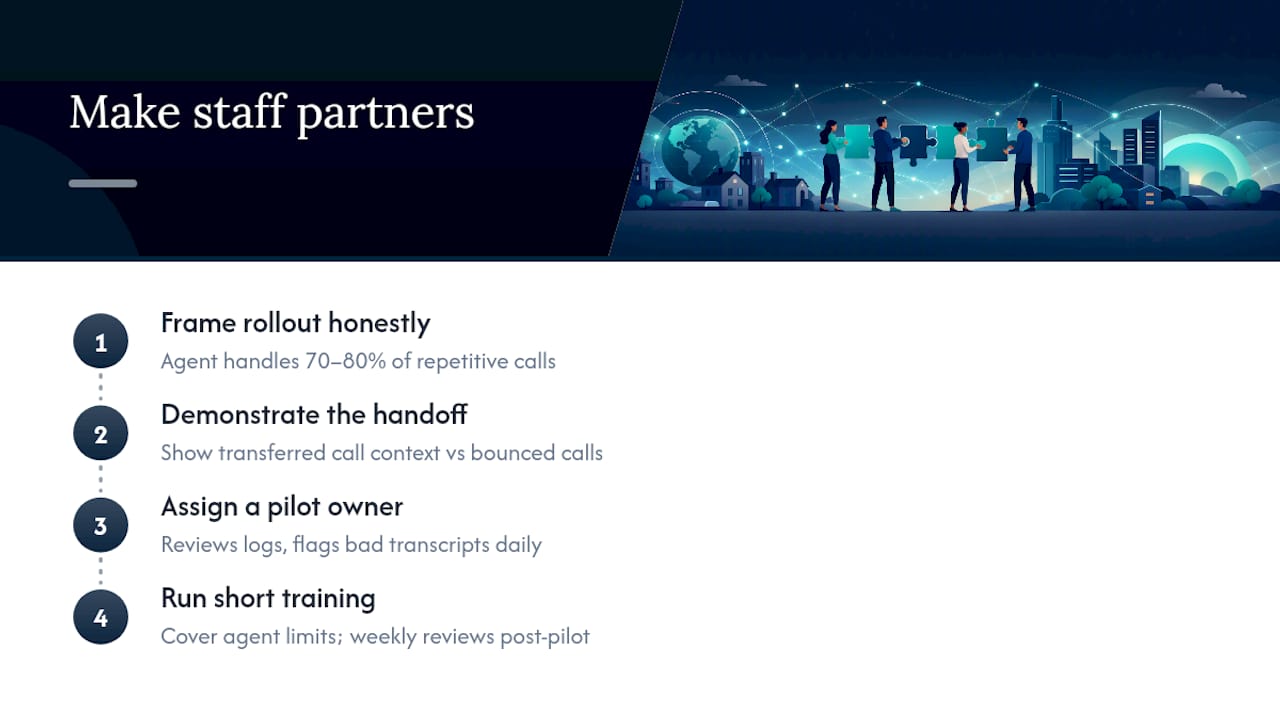
Frame the rollout honestly: the agent handles repetitive, predictable calls, roughly 70 to 80 percent of typical inbound volume, so your team isn’t managing every weekend call anymore, only the ones that need judgment. That’s a real shift in job description, and it deserves a real conversation, not a memo.
Walk staff through the handoff process specifically. Show them what a transferred call looks like, what information they’ll receive, and how it’s different from a caller who’s already been bounced around. Once staff sees they’re getting context instead of chaos, resistance tends to drop fast.
Assign one internal owner for the pilot, someone who reviews daily call logs, flags bad transcripts, and adjusts scripts. Without a named owner, pilots drift and nobody notices the agent has been mishandling a specific request type for two weeks.
Run a short training session before go-live covering exactly what the agent can and can’t do, so staff aren’t guessing when a caller asks something unusual. Loop that same person into weekly reviews once you’re past the pilot stage, since scripts and calendar rules change and someone needs to catch it before a caller does.
Lessons From Pilots: What Usually Breaks First
Most weekend coverage pilots don’t fail because the voice technology sounds robotic. They fail because of decisions nobody tested before launch.
The most common failure is an incomplete handoff. An agent correctly identifies that a call needs a human, then transfers it with no context, forcing the caller to repeat everything. The fix isn’t more AI. It’s a stricter handoff checklist enforced before go-live.
The second most common failure is a calendar rule that wasn’t actually tested. An agent books a slot that conflicts with a blocked-off period nobody told the system about, and the first anyone hears about it is an angry customer showing up twice. Untested edge cases, the mumbling caller, the one who changes their mind mid-sentence, the one who asks three questions at once, are exactly what a 30-call scripted pilot is built to catch before a real customer does.
Design the agent as your first line, never a full replacement. Humans still need to own emotionally complex or high-stakes calls, with a warm transfer that hands over full context instead of a cold handoff. The businesses that get this right treat weekend coverage as a narrow, tested system, not a magic fix.
— Jesse
How 42voice Turns a Weekend Pilot Into Full Coverage
42voice is built for exactly the scenario this guide walks through: a narrow, testable pilot that scales into real weekend coverage without months of vendor back and forth. The platform’s after-hours agent handles inbound calls, appointment bookings, lead qualification, and customer support across multiple languages, so the same system that answers your Saturday booking calls can also qualify a lead or answer a repeated FAQ.

What makes a pilot practical is speed. 42voice connects to your calendar and CRM and typically goes live within 3 to 5 days, which means you can run your 30-call test this month, not next quarter. That timeline matters when a missed weekend is a missed booking. The after-hours call answering setup is designed to reduce the operational cost of a full-time weekend receptionist while keeping every call logged and every handoff clean.
If your business has repeated booking or FAQ volume on weekends, start with a scoped pilot through 42voice’s solutions page and measure the results against your own numbers before committing to anything larger.
Sources
The ROI figures cited here come from industry ROI analysis on after-hours pilots, deployment timelines from vendor deployment data, pricing structures from SMB voice agent cost breakdowns, and pilot methodology from practical AI receptionist guidance. Complementary automation context comes from Sun State Digital’s AI systems overview.
- AI Voice Agents for Small Business: How to Automate Phone Calls and Save Thousands
- AI Voice Phone Agents for SMB Customer Support: After-Hours Answering, Appointment Scheduling, and Contact-Center Deflection in 2026
FAQ
Can AI Voice Agents Handle Weekend Call Coverage Reliably?
Yes, for predictable calls like bookings, lead capture, and FAQs, which make up roughly 70 to 80 percent of typical inbound volume for most SMBs, with human fallback for complex or emotional calls.
How Long Does It Take to Set Up Weekend Coverage?
Simple booking and FAQ setups typically launch in 2 to 4 weeks, though some providers, including 42voice, offer rapid pilots deployed in 3 to 5 days.
What Does a Weekend Call Coverage Pilot Actually Cost?
Per-minute production costs typically run between $0.07 and $0.33 all-in depending on complexity, so a 30-call pilot represents a small, low-risk test before any larger commitment.
What Happens When a Caller Needs a Human?
The AI agent should detect the escalation trigger and hand off with the caller’s name, phone number, stated reason, full transcript, and any action already attempted, so the human doesn’t make them repeat themselves.
How Do I Know If a Pilot Succeeded?
Track answered rate, bookings confirmed, qualified leads captured, escalation rate, and customer effort across your 30 test calls before deciding to scale.