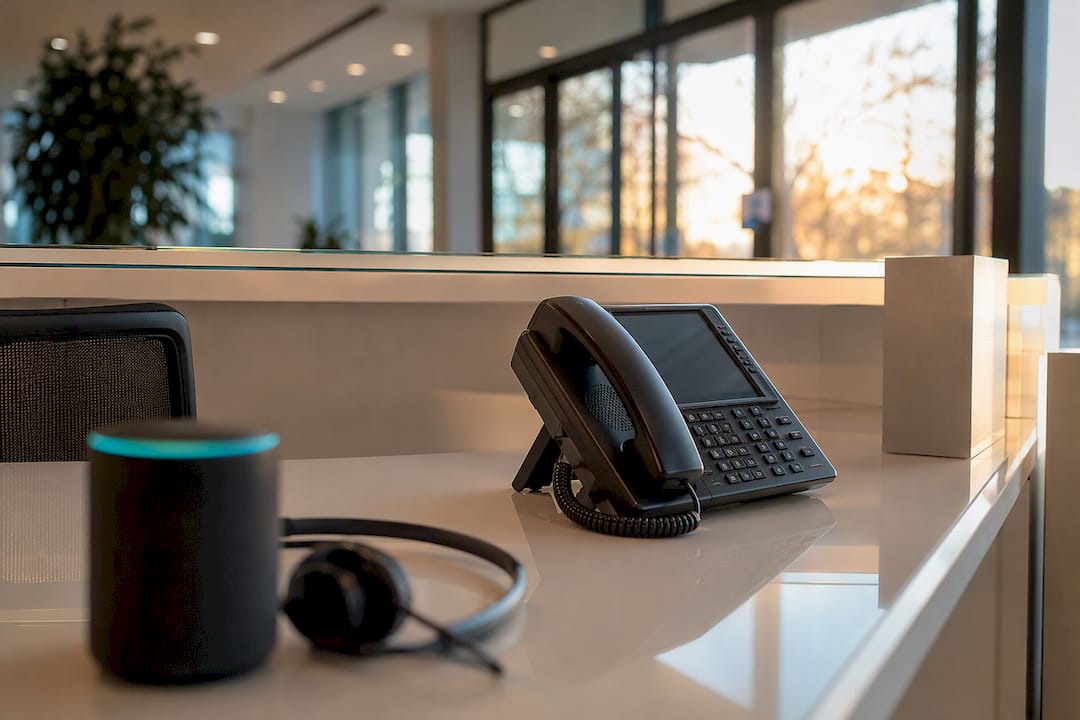
Healthcare phone automation answers, understands, and completes routine patient calls (scheduling, intake, reminders, after-hours triage) without a receptionist on the line. Practices that deploy it typically see higher first-call booking rates, fewer abandoned calls, and measurable staff-hour savings within 90 days. The HHS enforcement record makes PHI safeguards non-negotiable, and platforms like 42voice build compliance into the rollout from day one rather than bolting it on later.
Table of Contents
- What Does a Missed Call Actually Cost Your Practice?
- Which Phone Workflows Should You Automate First?
- How Does an AI Voice Agent Actually Handle a Patient Call?
- What Does a 90-Day Rollout Actually Look Like?
- What Should You Check Before Choosing a Solution?
- How Does 42Voice Approach Healthcare Phone Automation?
- What Practices Get Wrong About Rolling This Out
- Ready to Put Your Phone Line to Work
- Sources
- FAQ
What Does a Missed Call Actually Cost Your Practice?
Every unanswered phone call is a booking that walks to a competitor. Scheduling makes up the largest single category of inbound calls at most practices, and when those calls go to voicemail, a meaningful share of callers never call back. That’s not a staffing inconvenience. It’s lost visit revenue, compounding weekly.
The damage doesn’t stop at the missed booking. A prospective patient who can’t get through often finds another practice the same day. Existing patients who can’t reschedule easily are more likely to no-show instead of calling to move their appointment, and a no-show is worse for your schedule than a cancellation because the slot goes unfilled with zero notice. Billing calls that go unanswered pile up until patients get frustrated, and frustration shows up later as denied claims nobody caught in time.
The cost of silence: Scheduling automation and reminder systems are consistently cited across practice-operations research as the single highest-leverage fix for no-show and booking loss, ahead of nearly every other phone workflow.
Automation attacks this at the point of failure, not after the fact. A few mechanisms do the heavy lifting:
- First-call booking closes the loop before the caller has a chance to hang up and shop elsewhere.
- Real-time eligibility checks catch coverage problems before the visit, not at checkout, cutting denial risk.
- Instant call pickup at any hour converts after-hours inquiries that would otherwise become voicemail.
- Automated reminders cut into the no-show rate before it ever hits the schedule.
None of these require a bigger front desk. They require a system that never lets the phone ring out.
Which Phone Workflows Should You Automate First?
Not every call type deserves equal priority. Some workflows recover revenue almost immediately; others matter more for long-term retention. Here’s the order that tends to produce the fastest measurable return.
- Inbound scheduling. This is where you start, full stop. Booking on the first call, rather than routing to a callback queue, is what drives the biggest lift in fill rates because it removes the multi-step friction that causes callers to abandon the process.
- After-hours and overflow handling. New-patient inquiries skew heavily toward evenings and weekends, and practices that capture these calls convert a share of them into scheduled visits that would otherwise vanish into voicemail.
- Confirmations, reminders, and no-show recovery. Automated reminder sequences reduce no-show rates in a way manual call lists rarely match, since the system can text, call, and re-call without staff bandwidth constraints.
- Intake and pre-visit coordination. Collecting insurance details, chief complaint, and consent forms before the patient walks in shortens check-in and gives your clinical staff more time per visit.
- Post-visit follow-up and reactivation. This is the slow-burn revenue lever: recall campaigns, annual-visit reminders, and lapsed-patient outreach that fill schedule gaps months later.
Pro Tip: Don’t automate all five at once. Launch scheduling and after-hours first, measure booking lift for two to three weeks, then layer in reminders and intake. Sequencing this way makes it far easier to isolate what’s actually working.
How Does an AI Voice Agent Actually Handle a Patient Call?
The mechanics separate real automation from a glorified voicemail tree. When a patient calls, the system uses natural language processing to detect intent (scheduling, billing question, prescription refill, urgent symptom) rather than forcing a caller to punch through a menu tree. It verifies identity against existing records, completes the requested action, and writes the outcome back into your EHR or PMS as a structured entry, not a voicemail transcript someone has to interpret later.
That writeback is the core difference from legacy IVR. A traditional phone tree collects a message. A modern voice agent completes a transaction: a booked slot, an updated insurance field, a logged callback request, all visible in the patient’s chart without a staff member re-typing anything.
Not every call should be handled end-to-end by the AI. Clear escalation rules matter:
- Any call flagged as clinically urgent routes immediately to a live line, no exceptions.
- Ambiguous requests (a caller who won’t confirm identity, a complex billing dispute) hand off to staff with full call context attached.
- Multi-language callers get routed to the correct language track automatically rather than defaulting to hold music.
Compliance sits underneath all of it. A signed business associate agreement (BAA), SOC 2 attestation, encryption of calls in transit and at rest, and full audit logging of every call and writeback event are the baseline, not a premium add-on. The HHS enforcement record shows regulators actively pursuing covered entities over PHI safeguard failures, which is exactly why a BAA should be a gating requirement before any pilot touches live patient data.
Post-launch, track call completion rate, booking conversion, average handle time, and escalation frequency. Those four numbers tell you within two weeks whether the deployment is tuned correctly.
What Does a 90-Day Rollout Actually Look Like?
A phased rollout keeps risk low and gives you real data before you scale anything. The pattern that works across most practice sizes:
- Week 1, discovery. Map your actual call mix (what percentage is scheduling vs. billing vs. clinical), identify EHR/PMS integration points, and define escalation rules with clinical staff input.
- Week 2, build and integrate. Connect EHR/calendar systems, configure the voice persona and scripts, and set up the specific intents you’re launching with (usually scheduling first).
- Week 3, supervised pilot. Staff shadow live calls, the AI handles a limited call volume under supervision, and you define hard success criteria before expanding further.
- Weeks 4 through 12, optimize and scale. Expand into after-hours and reminders, tune intent recognition based on real call transcripts, and measure KPIs at the 30, 60, and 90 day marks.
| Milestone | Focus | Key metric to check |
|---|---|---|
| Day 30 | Scheduling live, supervised | First-call booking rate |
| Day 60 | After-hours and reminders added | After-hours capture rate, no-show rate |
| Day 90 | Full workflow set, unsupervised | Staff hours saved, revenue recovered |
This structure, with a supervised pilot preceding full autonomy, is a governance step more than a technical one. It costs little and cuts the risk of a mishandled call slipping through before intents are properly tuned.
What Should You Check Before Choosing a Solution?
Whether you’re evaluating a vendor or building an internal process, the same checklist applies. Skip any of these and you’re accepting risk you don’t need to.
- Compliance documentation. A signed BAA, an available SOC 2 report, encryption in transit and at rest, and audit logging on every call and record update.
- Interoperability. FHIR/HL7 support and confirmed compatibility with your specific EHR, calendar system, and existing phone lines, not a generic “integrates with most systems” claim.
- Deployment guarantees. A stated time-to-live, a supervised go-live period, and clear monitoring and escalation procedures once the system is unsupervised.
- Commercial terms. How pricing scales with call volume, what happens on overage, and what training and change management support comes with onboarding.
Pro Tip: Ask any vendor to show you an actual audit log sample before you sign anything. If they can’t produce one on request, that’s your answer about how seriously they treat PHI handling.
How Does 42Voice Approach Healthcare Phone Automation?
42voice builds toward the checklist above rather than around it. The platform handles appointment booking, after-hours coverage, and multilingual patient calls across nine-plus languages, with direct calendar and CRM integrations so a booked call becomes a scheduled slot without manual re-entry.
Deployment typically runs three to five days for calendar and CRM integration, followed by a supervised pilot period before the agent handles calls unsupervised. Governance runs alongside every deployment:
- BAAs available for practices handling PHI over the phone
- Secure call handling with audit trails on every interaction
- Supervised go-live before full autonomy, matching the phased rollout model above
- A suggested 30 to 90 day pilot validating booking rate, after-hours capture, and staff-hour savings as the core success metrics
What Practices Get Wrong About Rolling This Out
The most common mistake is automating the easy, low-volume call type first because it feels safe, then wondering why the ROI numbers look thin at day 60. Scheduling and after-hours capture carry the real revenue upside; everything else is secondary. The second mistake is skipping the supervised pilot to move faster; that shortcut is exactly where escalation failures happen. Governance, not model quality, is what separates a smooth rollout from a rocky one. If you do one thing this quarter, pilot inbound scheduling or after-hours capture, with escalation rules written down before the first live call.
— Jesse
Ready to Put Your Phone Line to Work
42voice is built for the checklist above, not around it: rapid three to five day calendar and CRM integration, BAA availability for PHI handling, and a supervised go-live before any agent runs unsupervised. That combination matters more than flashy voice quality when the calls involve patient scheduling and billing.

If missed calls and after-hours voicemail are costing you bookings, the fastest way to find out how much is a scoped pilot. Start with the scheduling and appointment booking solution or review the full 42voice solutions page to see how after-hours coverage and multilingual support fit your call mix, then request a demo to scope a 30-day pilot against your own booking numbers.
Sources
This article is general information, not a substitute for advice from a qualified doctor. Consult a qualified healthcare professional about your own circumstances before acting on anything here.
FAQ
What are some examples of automation in healthcare phone systems?
Common examples include AI-handled appointment scheduling, automated reminder and confirmation calls, after-hours triage and message routing, insurance eligibility verification, and intake data collection before a visit.
What is phone automation, exactly?
Phone automation uses software, often powered by natural language processing, to answer calls, understand what a caller needs, and complete the request (booking, rescheduling, answering a billing question) without a human picking up the line.
What phone systems do hospitals and clinics typically use?
Most rely on a combination of legacy IVR menus, practice management software with integrated calling, and increasingly, AI voice agents like 42voice that connect directly to EHR and calendar systems for end-to-end call handling.
What automated healthcare calls deliver the fastest return?
Inbound scheduling and after-hours call capture typically show measurable results first, since both directly convert calls that would otherwise be missed or delayed into booked appointments.
How is AI phone automation different from a call center?
A traditional medical call center routes calls to human agents on a schedule, while AI phone automation resolves the call itself around the clock, only escalating to staff for clinical urgency or ambiguous requests.